



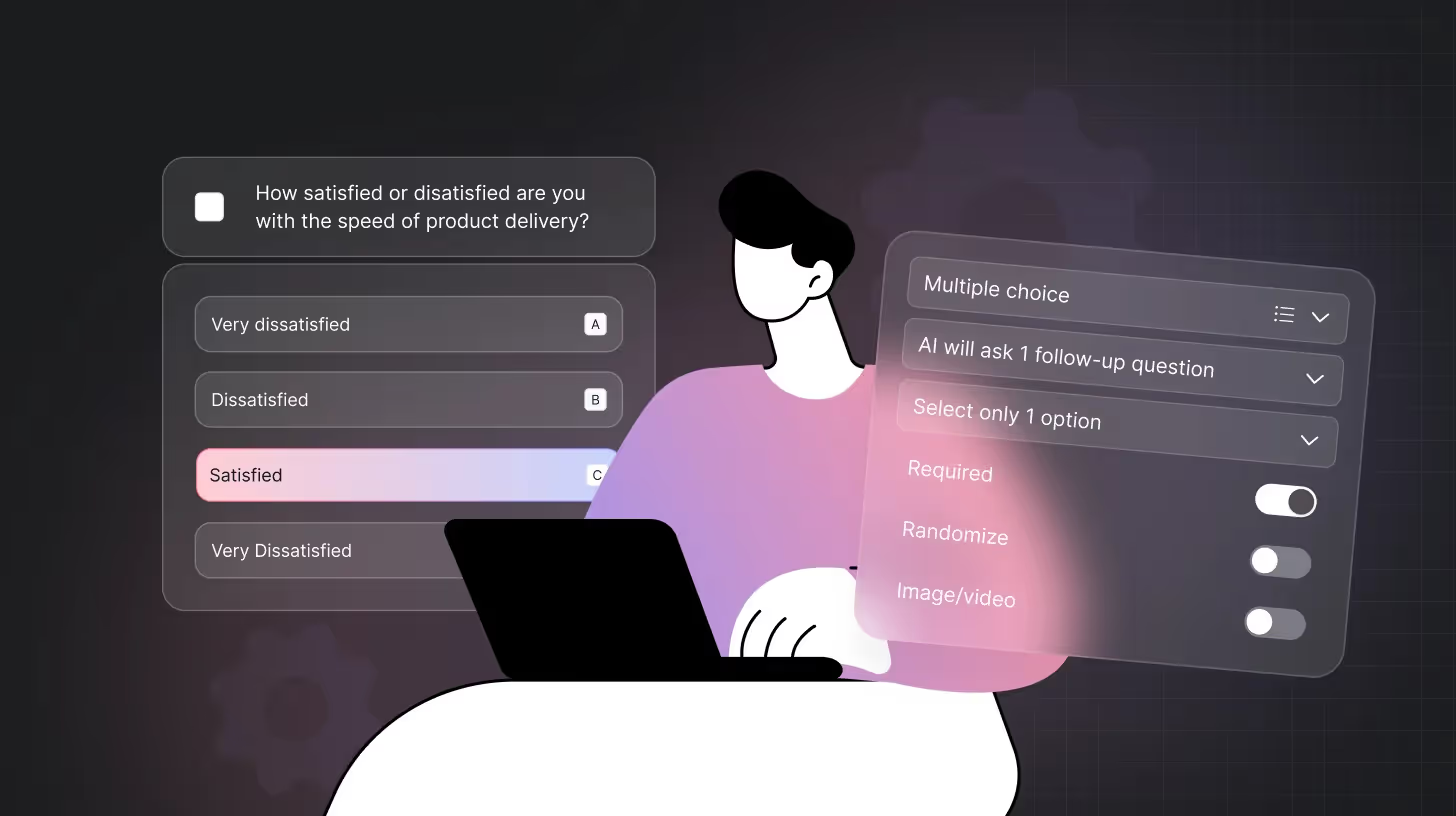
If you need to gather opinions, measure experiences, or understand what people really think, a questionnaire is one of the simplest ways to do it. It gives you a structured way to ask questions, collect responses, and turn them into insights that actually matter.
And if you want the easiest way to create one online without stressing over formats, wording, or layouts, TheySaid lets you build smart, AI-powered questionnaires for free. Just tell it what you need, and it generates clear, effective questions instantly. Try it for free!
What is a Questionnaire?
A questionnaire is a structured set of questions designed to collect information, opinions, or feedback from a specific group of people. Everyone answers the same questions, which makes the data consistent, comparable, and easy to analyze.
Industries That Use Questionnaires
Individuals and organizations in diverse industries widely use questionnaires. Some of the most popular questionnaires are used in the following:
- Market research
- Employee engagement
- Customer satisfaction
- Dissertations and research papers
- Health and psychological assessments
- Hospitality and tourism
- Retail and e-commerce
- Banking and financial services
- Public policy and government surveys
- Non-profit and social impact research
- Technology and software usability testing
When designed and executed well, they serve a vital role in determining the quality of data and insights you receive from your intended audience.
Read: What Is an Online Survey? Types, Benefits, and How AI is Transforming Data Collection
Questionnaire vs Survey: How They Differ and When to Use Each
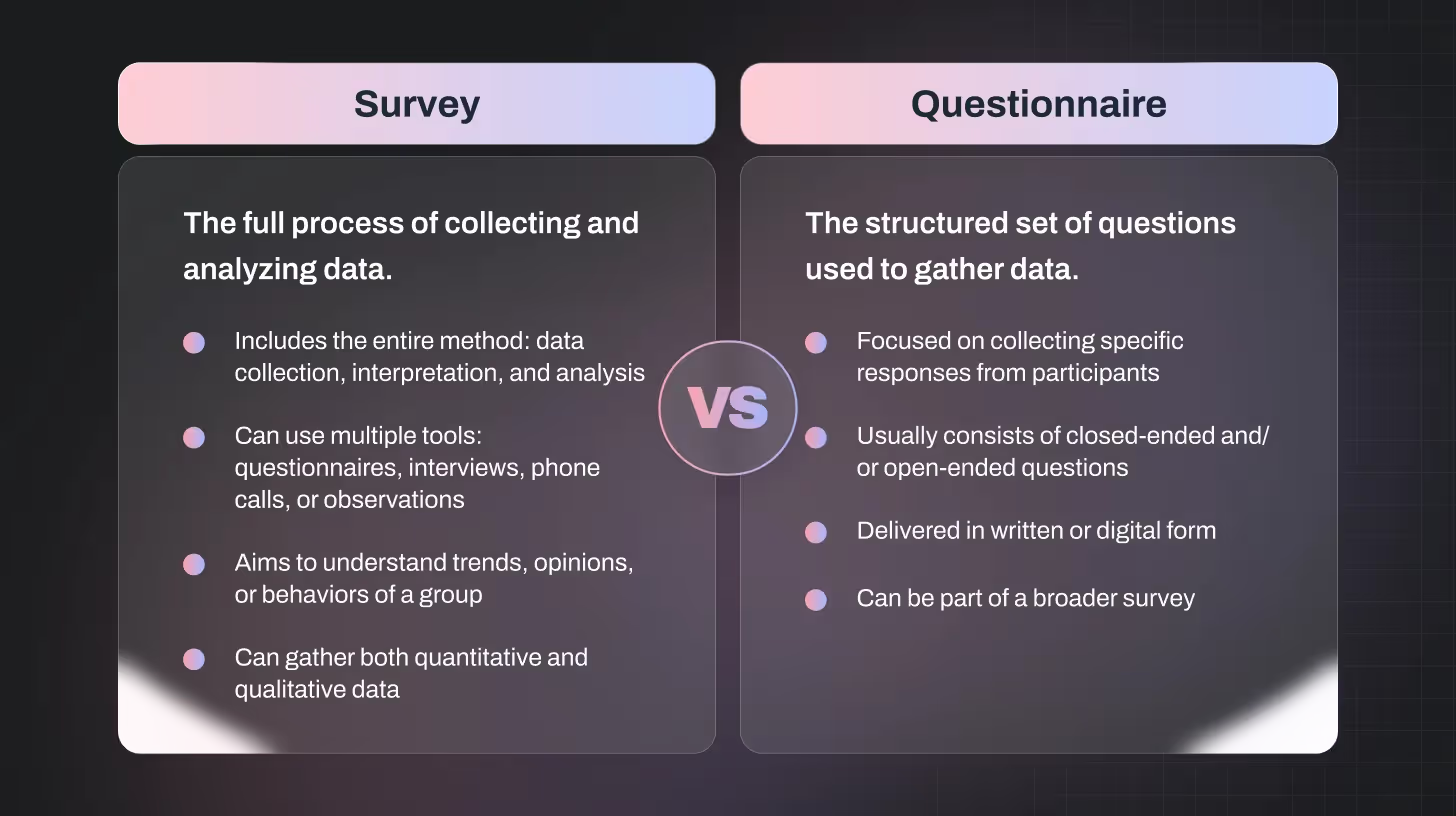
Recommended Read: Surveys vs Questionnaires: Difference, Use Cases & Benefits Explained
What are the Main Types of Questionnaires?
When gathering information, questionnaires are versatile tools that can be designed in many ways. Choosing the right type depends on your research goals, audience, and the kind of data you want to collect.
Here’s a breakdown of the most common questionnaire types:
Online Questionnaires
Online questionnaires are the most popular type today. They can be shared via email, social media, or survey platforms. Respondents can complete them at their own pace, which often leads to more thoughtful and accurate answers. It is ideal for reaching large audiences quickly and collecting structured responses.
Mail (Postal) Questionnaires
This traditional method involves sending paper questionnaires to respondents who fill them out and mail them back. Although slower and less commonly used today, postal questionnaires are useful in areas with limited internet access.
Telephone Questionnaires
Telephone questionnaires are conducted through direct calls. This method works best for short surveys with a few focused questions. While it allows for some personal interaction, respondents may provide less detailed answers compared to other methods.
In-Person Questionnaires
Face-to-face questionnaires involve an interviewer asking questions directly to the respondent. This method allows observation of body language and immediate clarification of answers, resulting in richer qualitative data.
Mixed-Mode Questionnaires
Mixed-mode questionnaires combine multiple delivery methods, such as online plus telephone or in-person. This approach increases response rates and ensures broader coverage of your target audience.
Pro Tip: When choosing the right type, think about your audience’s accessibility, the detail of information you need, and your resources for distribution and analysis. Picking the correct questionnaire type can dramatically improve the quality and reliability of your data.
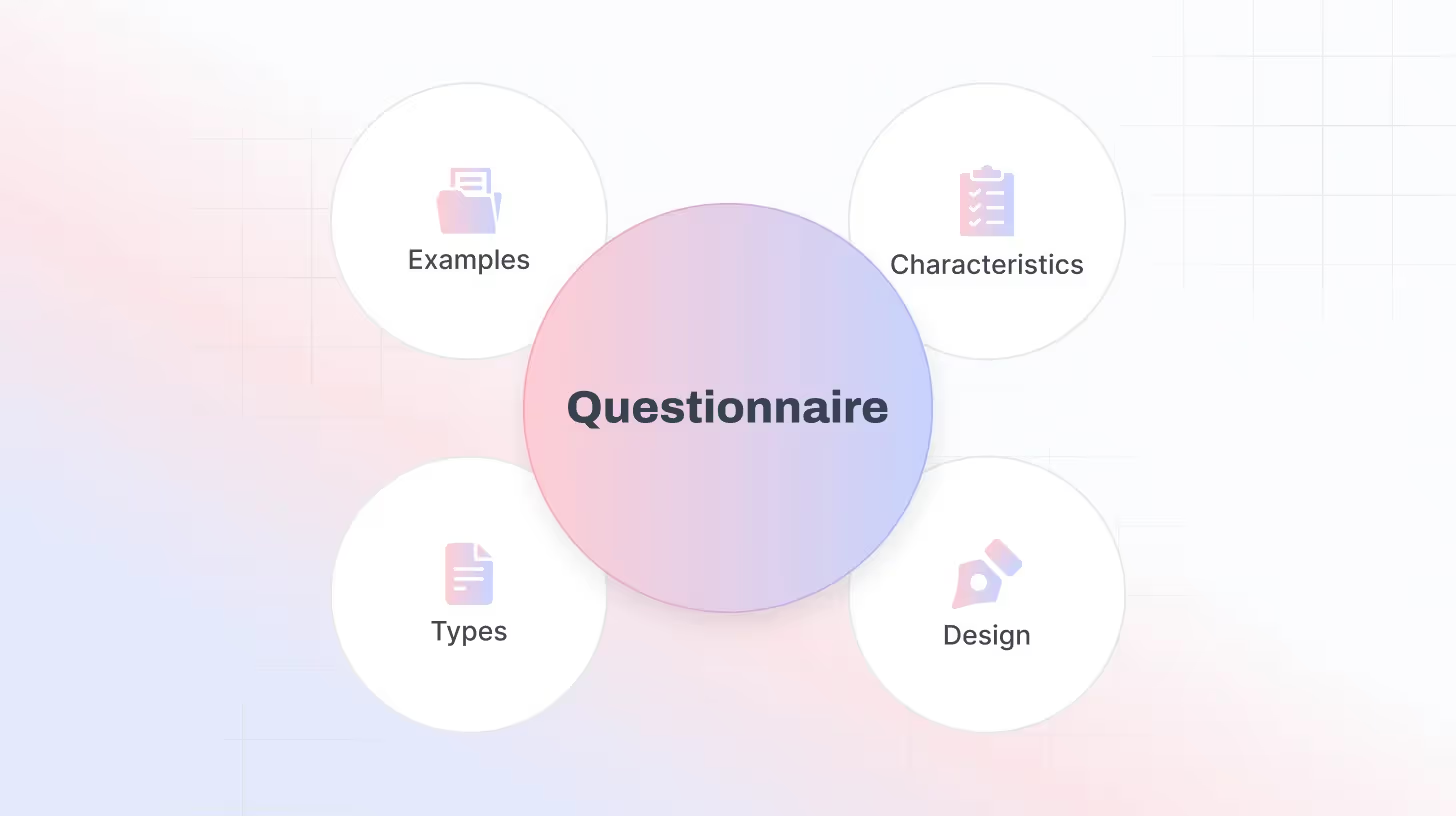
What to Include in a Questionnaire?
A well-structured questionnaire ensures you collect accurate and meaningful responses. Here are the essential components to include when designing your questionnaire:
Title
Start with a clear and descriptive title that immediately informs respondents about the purpose of the questionnaire.
Example: “Employee Engagement Survey – 2026”
Introduction
Provide a short introduction that explains why the survey is being conducted and how the responses will be used. Keep it friendly and encouraging to motivate participation.
Instructions
Give clear instructions on how to answer the questions. Indicate whether questions are mandatory or optional, and explain any rating scales or formats used.
Demographic Questions
Collect basic information about respondents, such as:
- Age
- Gender
- Education level
- Occupation
- Location
Only ask demographic questions relevant to your research objectives. For sensitive questions, allow respondents to skip them to ensure comfort and honesty.
Core Survey Questions
These questions are central to your research goals. Include a mix of:
- Closed-ended questions for quantifiable data (e.g., multiple-choice, yes/no, rating scales).
- Open-ended questions for qualitative insights and detailed feedback.
- Matrix or ranking questions to compare multiple items efficiently.
Optional Feedback Section
Include a space for respondents to share additional comments or suggestions. This often provides unexpected insights that structured questions might miss.
Conclusion / Thank You Note
End with a polite thank-you message to show appreciation for their time. You can also provide next steps or contact information if respondents want to learn more or follow up.
How to Create a Questionnaire with TheySaid (Beginner-Friendly Guide)
Follow the steps below to create a structured, accurate, and incredibly easy-to-build questionnaire with TheySaid.
Step 1: Identify the Scope of Your Research
Before you start creating your questionnaire, pause and ask yourself: What am I trying to achieve? Defining your research scope is important because it shapes everything, from questions to wording to structure to delivery method.
Ask yourself:
- What are the main objectives of this survey?
- Who is your target audience?
- What information do I need to collect to make actionable decisions?
Set SMART goals (Specific, Measurable, Attainable, Relevant, Time-bound) for your survey. This keeps your questions focused and ensures you gather detailed, useful insights.
With TheySaid, keeping the scope in mind is even easier. Whether you’re starting from scratch, using a template, or building with AI, the platform guides you to structure questions around your research goals.
Step 2: Think About Your Question Types
Once your objectives are clear, decide how to ask your questions. Do you need:
- Quick, easy-to-analyze answers like multiple-choice or rating scales?
- Detailed insights with open-ended questions or AI-assisted conversational prompts?
The type of questions you choose will directly affect the quality and depth of your data. With TheySaid, you can mix question types seamlessly and even let AI suggest follow-ups to get richer, more meaningful responses.
Step 3: Build Your Questionnaire
With TheySaid, building a questionnaire is simple, flexible, and even enjoyable. You have several options depending on how you want to start:
- Start from Scratch: Begin with a blank survey page and add your questions, sections, and instructions using the Build tool. Complete control, fully customizable.
- Copy an Existing Survey: Already have a survey in your account? Duplicate it. All questions, logic, and design settings carry over. Just tweak what you need.
- Build with AI: Type in your survey goals (excluding any sensitive info), and AI will generate a complete questionnaire for you. You can edit it, regenerate, or start fresh.
- Pick a Template: Browse expert-designed templates for customer feedback, NPS, employee surveys, or usability tests. Preview questions and customize to your needs.
- Paste Your Questions: Already written your questions elsewhere? Copy and paste them straight into TheySaid. Smart formatting ensures everything looks clean.
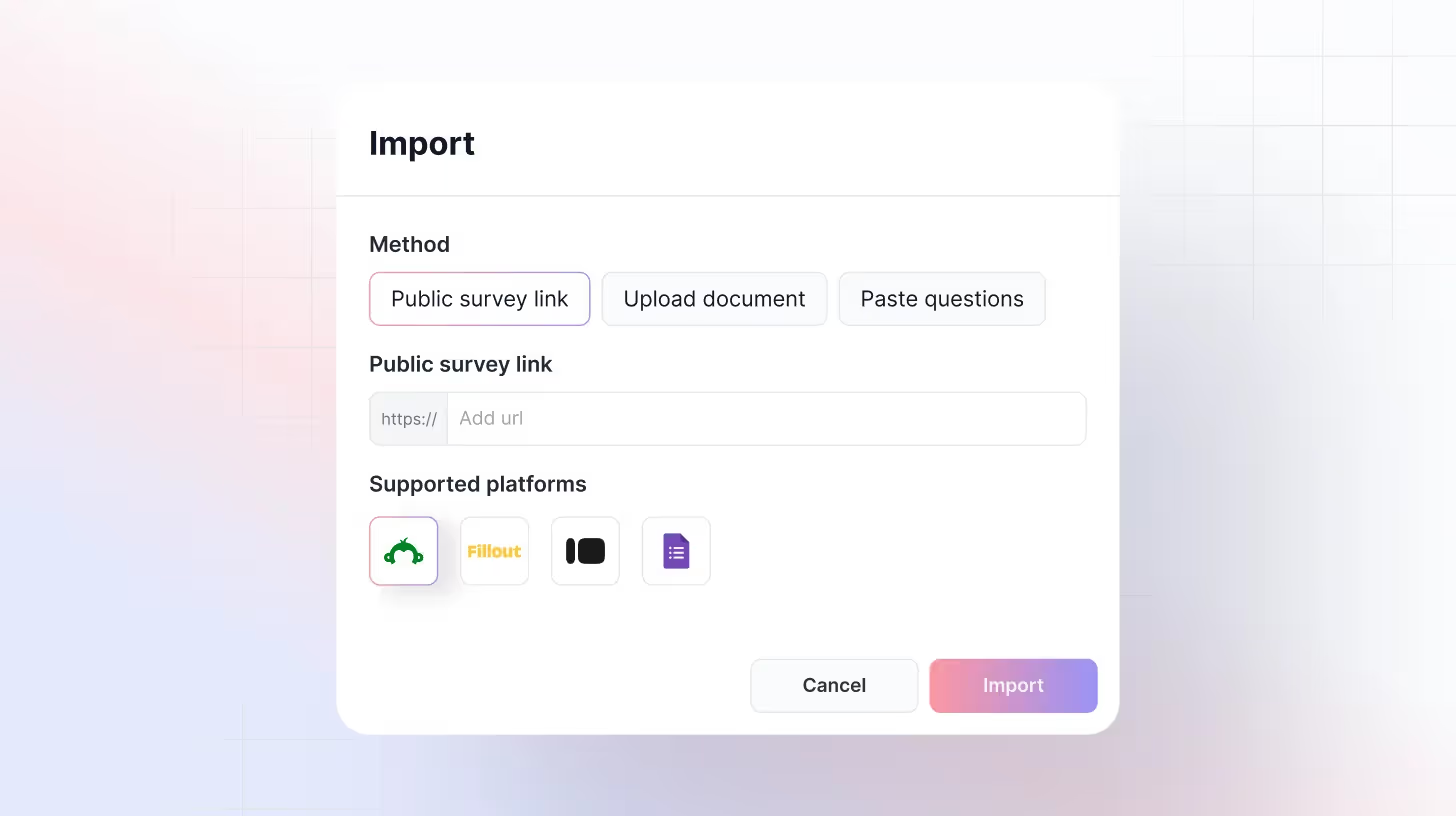
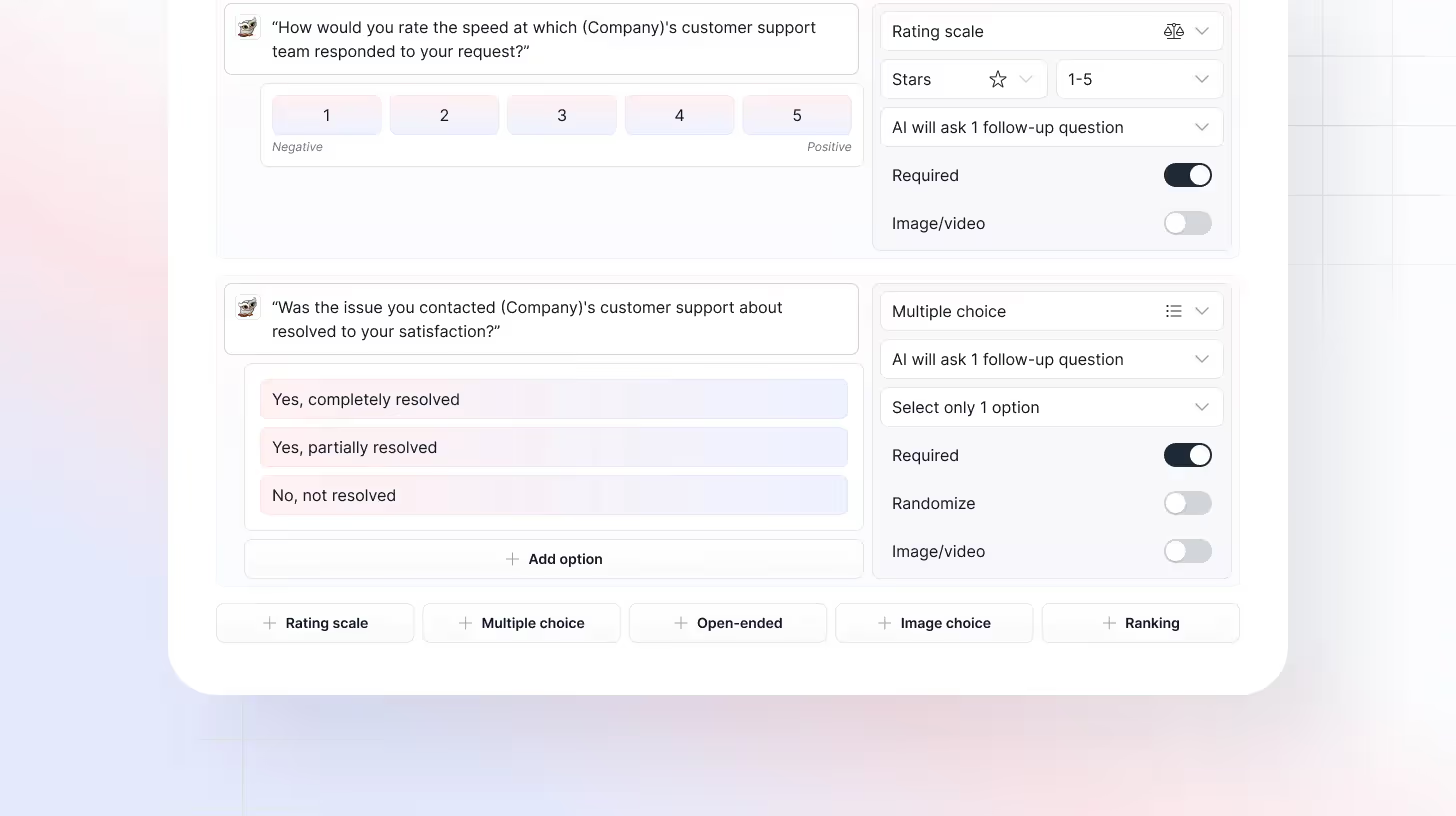
Step 4: Customize Questions and Logic
Once your survey is built, it’s time to refine it:
- Question Types: Choose from multiple-choice, rating scales, open-ended, ranking, and Likert scales.
- Conditional Logic & Branching: Tailor the respondent journey. Show or skip questions based on prior answers to create a personalized experience.
- AI Follow-Ups: The AI can automatically probe deeper when answers are vague or incomplete.
Step 5: Preview and Test Your Questionnaire
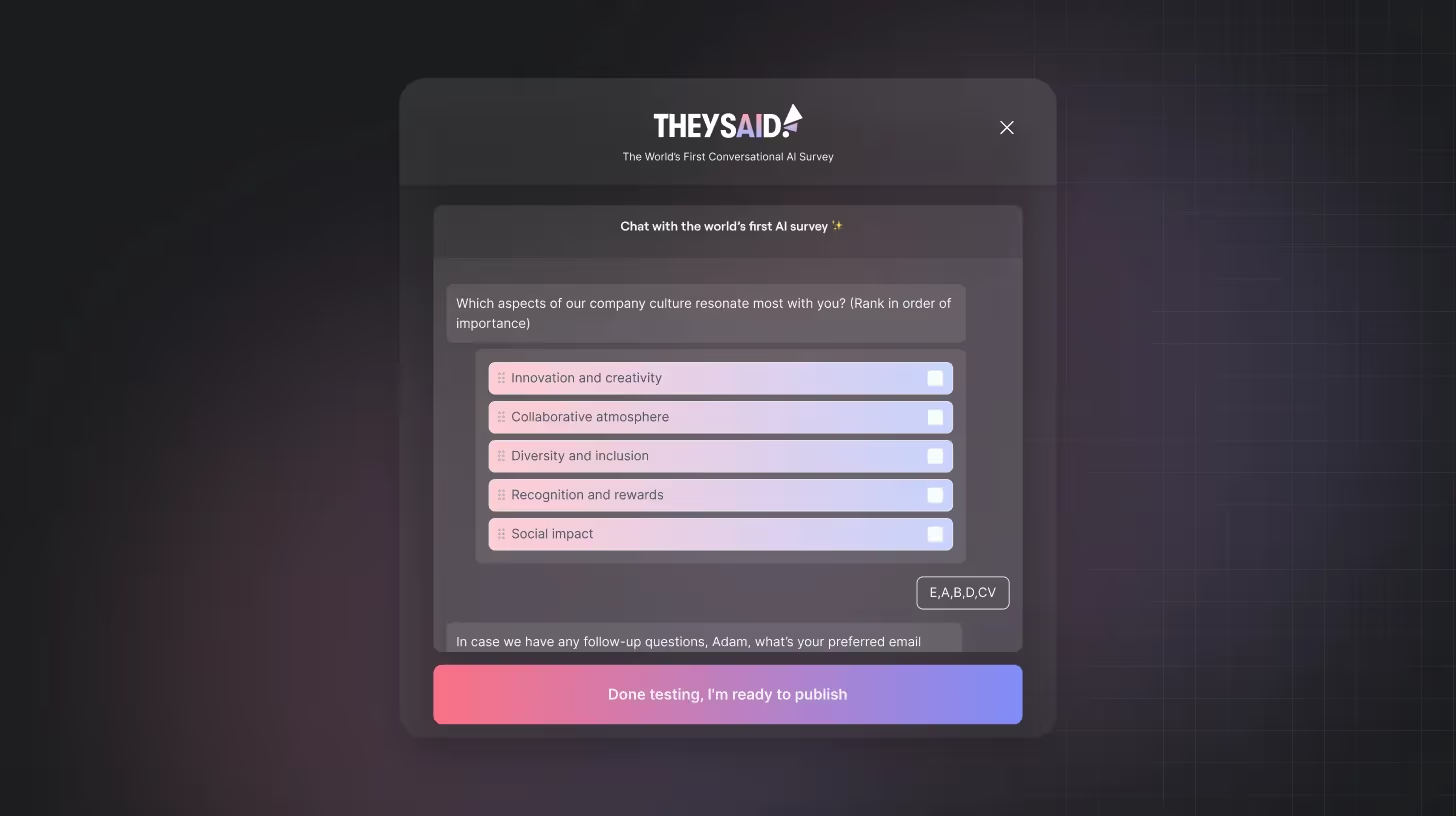
Before sending it out, preview your questionnaire to make sure everything flows smoothly:
- Test the AI follow-ups and voice functionality
- Check conditional logic and branching paths
- Ask a colleague, friend, or team member to try it out
A little pretesting goes a long way to ensure your survey is easy, engaging, and collects the data you actually need.
Step 6: Share Your Questionnaire
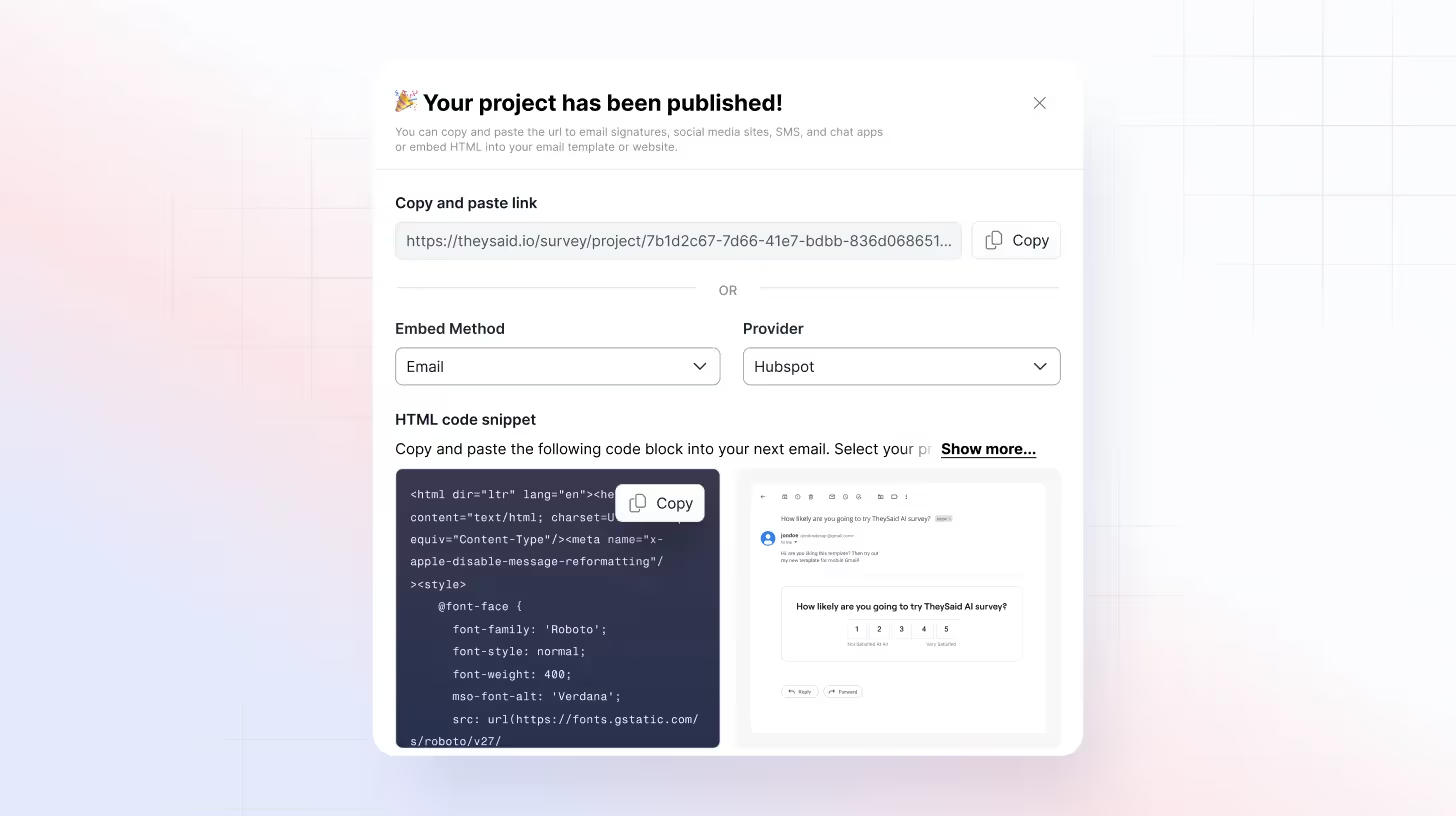
Once it’s ready, you can share your survey anywhere:
- Email to your target audience
- Social media for broad feedback
- Embed on websites or apps
- In-app prompts for product feedback
Step 7: Analyze and Act on Feedback
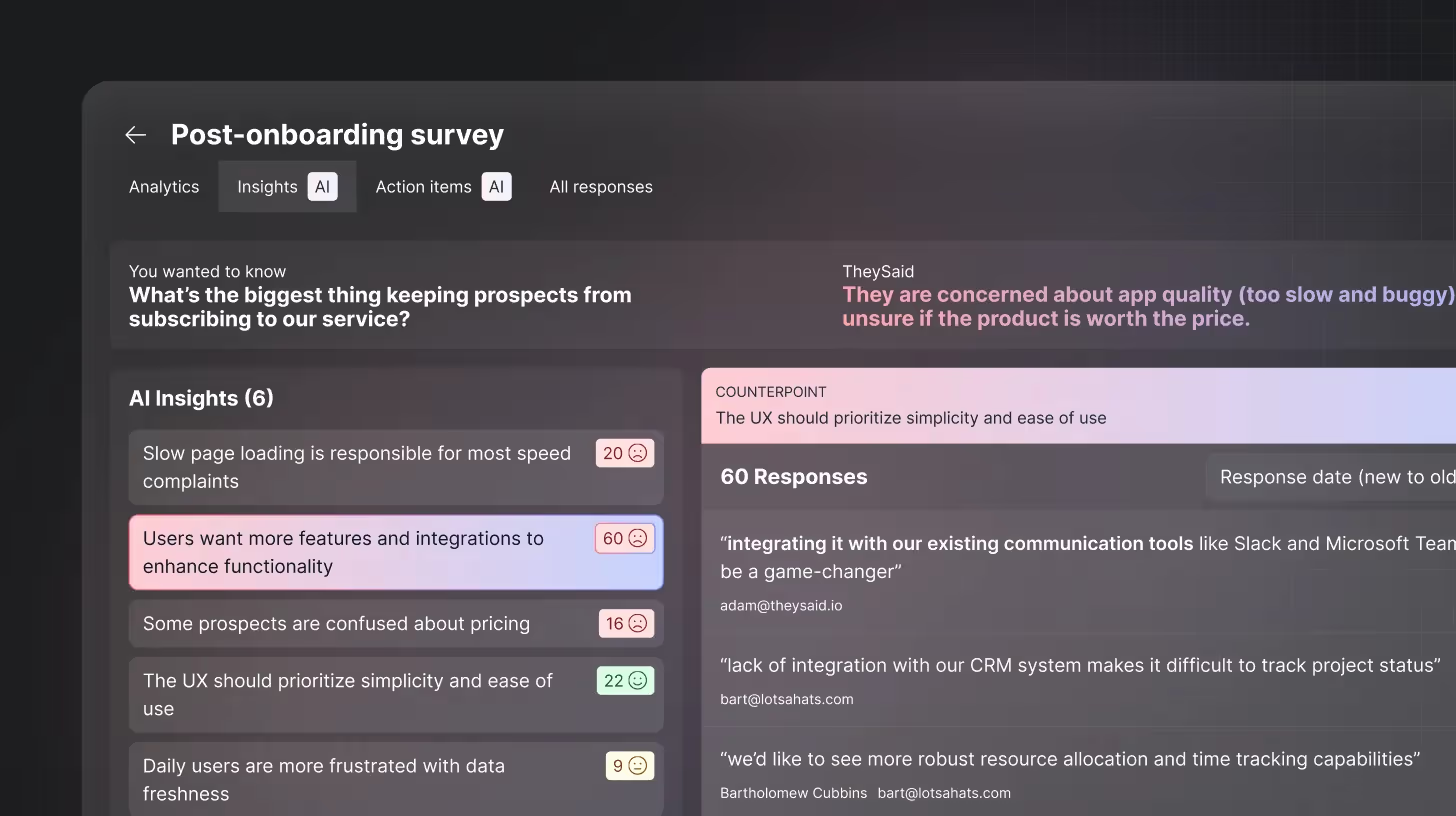
Here’s where TheySaid really shines:
- AI summarizes responses: See key themes, trends, and root causes instantly.
- Interactive analysis: Ask questions like “What are the main complaints about our onboarding?” and get instant AI-driven insights.
- Integrations: Feedback can automatically feed into Slack, Salesforce, HubSpot, Jira, and more, so your team can act immediately.
- Video and voice clips: For user tests, see exactly where users struggle and hear their reactions in real time.
Build your questionnaire in minutes with TheySaid. Sign up for free!
Best Practices for Creating Effective Questionnaires
Creating a questionnaire is more than just listing questions—it’s about designing a tool that collects accurate, meaningful, and actionable insights. Follow these best practices to make sure your questionnaire delivers quality results:
Filter Your Respondents
Start by including qualifying questions to ensure only the right participants continue. For example, if you’re surveying students, ask, “Are you currently enrolled in a school or university?” Filtering ensures relevant data, improves accuracy, and saves time by excluding ineligible respondents.
Include a Clear Consent Statement
Always inform respondents about the purpose of the questionnaire, how their data will be used, and that participation is voluntary. A short consent statement at the beginning builds trust and ensures participants understand their rights and privacy.
Consider Multiple Languages
If your audience speaks different languages, provide translated versions of your questionnaire. This ensures everyone understands the questions clearly, improving response quality and inclusivity.
Plan for Future Use
Think about how your questionnaire might be used beyond the current study. Will it be a one-time survey, or will it be reused for ongoing research, like annual employee feedback? Planning ahead helps you design questions that remain relevant over time.
Keep It Clear and Focused
Use simple language, avoid jargon, and ask one question at a time. A clear and concise questionnaire reduces confusion, lowers abandonment rates, and makes analysis easier.
Use Logical Flow and Structure
Arrange questions in a sequence that makes sense: start with easy or non-sensitive questions to warm up respondents, then move to detailed or complex questions. Group related topics and use sections or page breaks to guide participants smoothly.
Leverage AI and Smart Features
Modern tools like TheySaid allow you to add AI-assisted logic, branching, and follow-up questions automatically. This creates a personalized experience for respondents, improves completion rates, and generates deeper insights.
Key Takeaways
To create an effective questionnaire, start by defining clear objectives so every question aligns with the insights you need. Choose the right mix of closed and open-ended questions to balance measurable data with deeper feedback. Use simple language and a logical flow to reduce confusion and encourage honest responses. Always add a consent statement and clear instructions to build trust and improve completion rates.
Test your questionnaire with a small group before launch to catch errors or unclear wording. Finally, use tools like TheySaid to add AI-powered question suggestions, branching logic, and automated analysis to speed up creation and improve data quality.
FAQs
How do I design an effective questionnaire?
Make it clear, focused, and engaging. Use simple language, mix question types, and structure it logically. Tools like TheySaid help add AI suggestions and branching for smarter surveys.
What is a questionnaire in research?
A questionnaire is a set of structured questions to collect opinions, feedback, or data from a group. AI tools like TheySaid make creating and analyzing them easier.
What are the pros and cons of questionnaires?
Pros: Easy to distribute, cost-effective, standardized data.
Cons: Risk of low responses or vague answers. AI features can help improve engagement.
How can I get more responses?
Keep it short, simple, and visually clean. Start easy, use logical flow, and leverage AI-assisted features like follow-ups and branching logic.
Can TheySaid help create questionnaires?
Yes! Build from scratch, use AI-generated questions, templates, or copy surveys. Customize, add logic, enable voice responses, and analyze results all in one platform.


.png)



.svg)


