


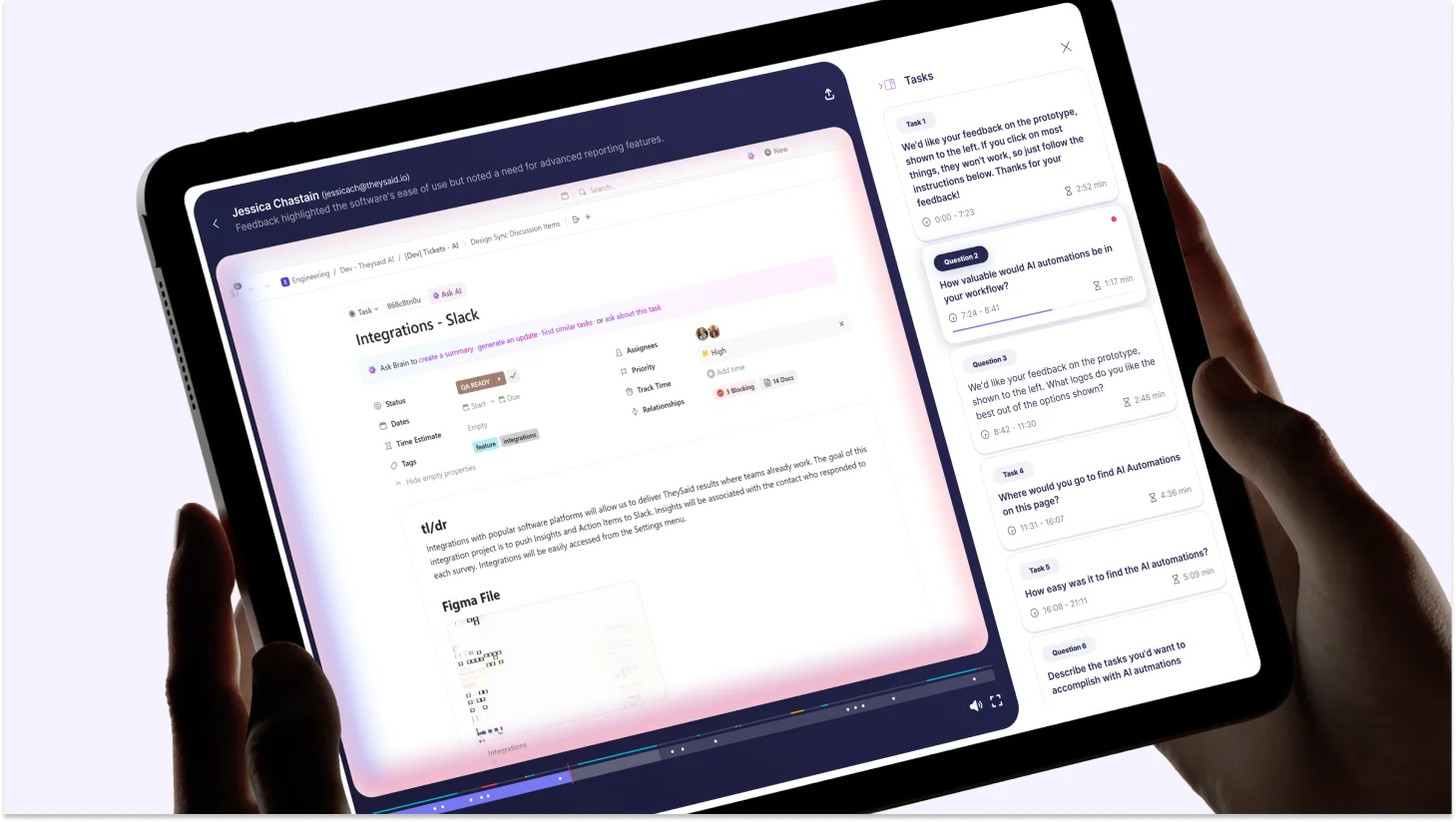
Every product team knows they should be testing more. The problem is never intention; it is the process.
Recruiting takes weeks. Recordings pile up unwatched. Panel testers give feedback that never matches how real users behave. By the time insights arrive, the decision has already been made without them.
AI user testing fixes that. It automates moderation, synthesis, and analysis, delivering real insights from real users in hours, not weeks.
This guide covers everything product designers, product managers, and UX researchers need to know about what AI user testing is, why traditional research is breaking down, and which tools are worth your time in 2026.
TL;DR
Traditional user testing is too slow. Setup takes weeks, synthesis takes days, and by the time insights arrive, the decision has already been made without them
Panel testers aren't your users. Professional testers systematically overestimate usability and miss the blind spots your real customers hit every time
AI user testing fixes the throughput problem. AI moderates sessions, analyses recordings, and surfaces insights automatically, cutting research cycles from weeks to hours
The best teams combine speed and depth. AI handles the operational burden, and researchers focus on strategy and interpretation
TheySaid is the strongest platform in the space, combining AI moderation, real-user recruitment, automated synthesis, and a unified research repository in one place
You can start today for free, no credit card required, full AI features on the free plan
Don't launch blind. Test with TheySaid first.
Join 500+ product teams using AI-powered user testing to ship products users love.
Get Started Free
What is AI user testing?
AI user testing is a research method that uses artificial intelligence to automate how product teams collect, moderate, and analyse feedback from real users. Instead of scheduling sessions, watching hours of recordings, or manually coding themes, AI handles the entire research workflow from guiding users through tasks to surfacing the insights that matter.
Traditional user testing puts the burden on researchers: recruit participants, run sessions, scrub videos, tag themes, write reports. AI user testing flips that model. The AI moderates every session simultaneously, detects confusion in real time, asks intelligent follow-up questions, and delivers a prioritised list of usability issues before you've finished your coffee.
Unlike traditional unmoderated user testing, where participants complete tasks alone with no guidance, AI user testing combines the scale of unmoderated research with the depth of a live moderated session.
Traditional user testing vs. AI user testing: What’s the difference?
Traditional user testing doesn't fail teams all at once. It fails them slowly, one delayed study, one misleading result, one unwatched recording at a time. By the time most teams notice, the damage is already in the product.
Here are the four problems that consistently break research workflows at modern product companies and exactly how AI user testing solves each one.
Pain Point 1: Drowning in Hours of Useless Recordings
Manual video review kills your time, slows your roadmap, and forces re-watching because you're terrified of missing something important.
The average UX researcher spends 60–70% of their research time on operational work, watching recordings, transcribing sessions, tagging moments, and building synthesis documents. That is time not spent improving the product.
Teams report hours of manual video analysis per study, guilt about potentially missing critical insights buried in lengthy sessions, and roadmaps slipping because synthesis takes longer than the sprint itself. The research exists. The insights are in there somewhere. But finding them requires hours of scrubbing that most teams simply cannot afford, so the recordings sit untouched, and decisions get made without them.
How AI User Testing Solves It
AI watches every session for you. It auto-summarises findings, flags recurring patterns, assigns severity ratings, and generates specific fix recommendations without you watching a single minute of footage. Teams report cutting manual review time by up to 80%. The recordings no longer pile up. The insights surface automatically while the session is still running.
Pain Point 2: Your Testers Aren't Even Your Users
Panel testers behave differently, think differently, and give you feedback that never matches what your actual users do.
Most user testing platforms rely on small pools of professional testers, people who participate in dozens of studies per month and have developed expertise at being test subjects. Your real customers don't have that expertise, and they never will.
Professional tester bias is one of the most under-discussed problems in product research. When your panel skews toward tech-savvy, research-experienced participants, you get results that systematically overestimate usability. Your actual users who have never seen a prototype, who haven't been briefed on task completion, will struggle in ways your panel never surfaces.
How AI User Testing Solves It
AI-powered user testing platforms such as TheySaid deploy testing through multiple channels, in-product prompts, email, social media, QR codes, and website popups, so feedback comes from people who genuinely represent your target audience. No panel recruitment. No professional testers. Just real users, in their natural environment, using your actual product. Teams switching to real-user signals report improving new-user activation by 30% and retention by 50%.
Pain Point 3: Test Setup Takes Longer Than the Feature Itself
Set up delays slow your team, stall your roadmap, and push feature releases back by weeks.
Ask any product manager how long it takes to launch a usability test. Then watch their expression.
Planning documents. Stakeholder approvals. Recruitment coordination. Script writing. Prototype configuration. Pilot sessions. By the time a traditional test is live, the feature it was supposed to validate has already shipped or been cut entirely. Research becomes retrospective instead of predictive.
This is the quiet reason most teams skip research altogether. Not because they don't value it. Because the time cost is genuinely prohibitive.
How AI User Testing Solves It
Describe what you want to test in plain language. AI builds your entire test plan, tasks, questions, branching logic, and full setup in minutes. No scripts. No approval cycles. No configuration overhead. Launch a fully automated, real-user test the same day you identify the question. AI-powered user testing platforms also work directly with Figma prototypes and staging environments, so teams can test before a single line of code is written when changes are still cheap.
Because everything runs through the browser, AI user testing is also fully remote, no lab bookings, no travel, no scheduling across time zones. Remote user testing at scale is now as simple as sharing a link.

Teams are shipping in an afternoon with AI. They should not have to wait two weeks to find out if it worked. Vibe testing means your feedback loop runs as fast as your build loop."

Pain Point 4: Your Insights Are Scattered Across 12 Tools
Scattered insights create confusion, slow decisions, and make it nearly impossible to see the real story behind user behavior.
The modern product team uses surveys for NPS, a separate tool for session recordings, another for interviews, another for analytics, and another for support tickets. Each tool has its own dashboard. None of them talks to each other.
When it's time to make a product decision, someone has to manually synthesize insights from six different places, which almost never happens. Instead, decisions get made on the loudest voice in the room, or the most recent complaint, rather than the actual pattern across all user signals.
How AI User Testing Solves It
AI-powered research platforms centralize user testing, surveys, interviews, polls, and forms in a single unified repository. Every session, every response, every behavioral signal is stored together and cross-referenced automatically. You can query across all your research, one project, or hundreds and surface patterns in seconds instead of days. Nothing gets buried. Nothing gets lost. Every decision gets made on the full picture.
Head-to-Head Comparison: Traditional User Testing vs. AI User Testing
Top AI User Testing Tools in 2026
"The AI usability testing software market has grown rapidly. Dozens of platforms now claim to automate research, but they are not all solving the same problem. Here is an honest comparison of the platforms worth your time.
TheySaid: The best AI user testing platform
TheySaid is the strongest player in AI user testing today. It combines user testing, AI interviews, surveys, and polls in one platform, so your entire research workflow lives in one place instead of five.
What sets it apart is the AI moderator. It is not a scripted chatbot. It adapts questions dynamically, probes deeper when it detects confusion, and holds full two-way voice conversations in 70+ languages. No other tool in this space does this as well.
Key capabilities:
- Screen recording with simultaneous AI moderation
- Voice conversations in 70+ languages
- 16M+ participant panel with deep demographic filters
- Ask AI — query your entire research dataset in plain language
- Native integrations with Slack, Jira, Salesforce, and HubSpot
- Free plan with full access to all AI features
Best for: TheySaid is the modern, affordable AI user testing platform built for product managers, designers, and UX researchers who need real user insights without the enterprise price tag.
Maze: Strong for prototype testing, narrow in scope
Maze is a solid choice for design validation. Its integrations with Figma, Sketch, and InVision are deep and well-executed, and it handles task-based prototype testing cleanly.
The limitations show up quickly outside that use case. No conversational AI moderator, no voice capability, and not built for qualitative depth. It answers "did users complete the task" reliably. It struggles to answer "why" at any meaningful scale.
Best for: Designers validating Figma prototypes with quantitative usability metrics.
UserTesting.com: The Incumbent with an aging model
UserTesting.com built the user testing category and has a large participant panel, established enterprise relationships, and video-based testing that teams have relied on for years.
The core model, however, has not fundamentally changed. AI features are layered on top of a workflow never designed for automation. Setup is still time-consuming, analysis is still largely manual, and pricing is difficult to justify for teams without dedicated research budgets.
Best for: Large enterprise teams with existing UserTesting.com contracts and analysts available to process video-heavy output.
Outset.ai: Good for qualitative depth, limited in breadth
Outset.ai focuses specifically on AI-moderated qualitative interviews. For that use case it performs well. The AI asks thoughtful follow-ups, and the interview quality is genuine.
The scope is narrow. No screen recording, no usability task flows, no surveys or polls. It solves one research method and leaves the rest of your workflow unaddressed.
Best for: Teams running standalone qualitative interview studies who do not need screen recording or multi-method research.
Lyssna: Solid for unmoderated testing, not a standalone solution
Lyssna handles unmoderated usability testing and first-click studies competently. Fast to set up for simple studies and works well for navigation and information architecture validation.
Not built for conversational research, no AI moderation, no longitudinal feedback capability. Works best as a supplementary tool alongside a more complete platform.
Best for: Teams running specific first-click or navigation tests as part of a broader research workflow.
"The future product stack is vibe coding, vibe design, and vibe testing. Teams that complete that stack will not just move faster — they will learn faster. And learning faster is the only sustainable advantage."

How to Run Your First AI User Test with TheySaid
Most teams assume setting up an AI user test requires the same overhead as traditional research, a test plan, a recruitment brief, and stakeholder sign-off. It doesn't. With TheySaid, the entire process from question to live test takes minutes, not weeks.
Here is exactly how to do it.
Step 1: Define Your Research Question
Before you open the platform, write one specific, answerable question. Not "how do users feel about onboarding," that is a theme, not a question. Something like: "Can new users complete their first project setup without assistance?" or "Where do users drop off during the checkout flow?"
One sharp question produces one clear insight. Vague questions produce vague findings, with AI or without.
Step 2: Create Your Project with AI
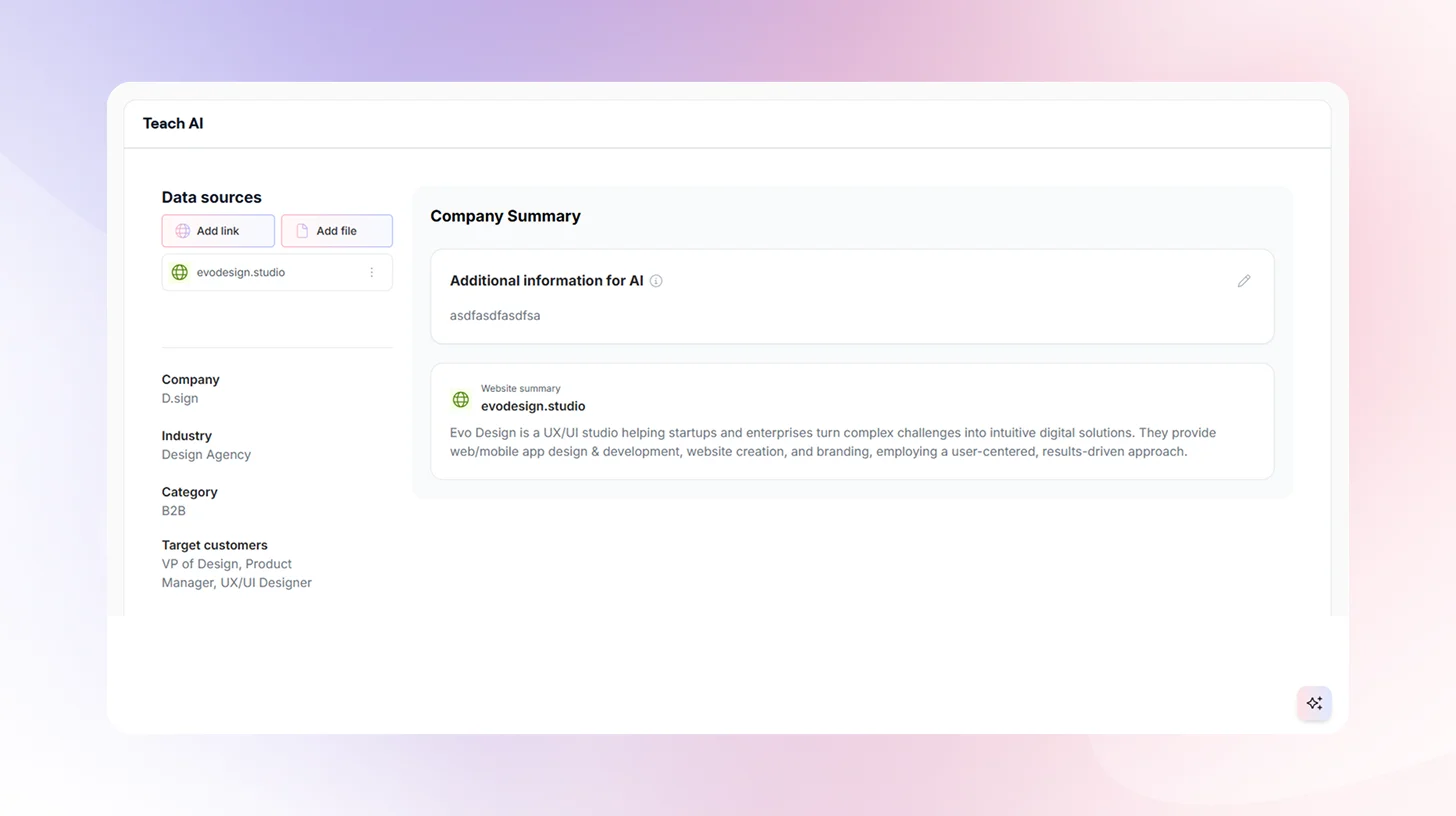
Log into TheySaid and describe what you want to test in plain language. TheySaid's AI Project Creator uses five specialized agents to build your entire test plan automatically — tasks, questions, branching logic, and session flow based on what you typed.
No script writing. No configuration. No template hunting. You describe the goal; AI builds the study.
Step 3: Connect Your Product or Prototype
TheySaid works with what you already have:
- Live product: Paste the URL and test with real users inside your actual product
- Figma prototype: Connect directly and validate before a single line of code is written
- InVision or staging environment: Any browser-accessible URL works
Testing at the prototype stage is where AI user testing pays for itself fastest. Changes at that point cost hours, not weeks of engineering time.
Step 4: Choose Your Participants
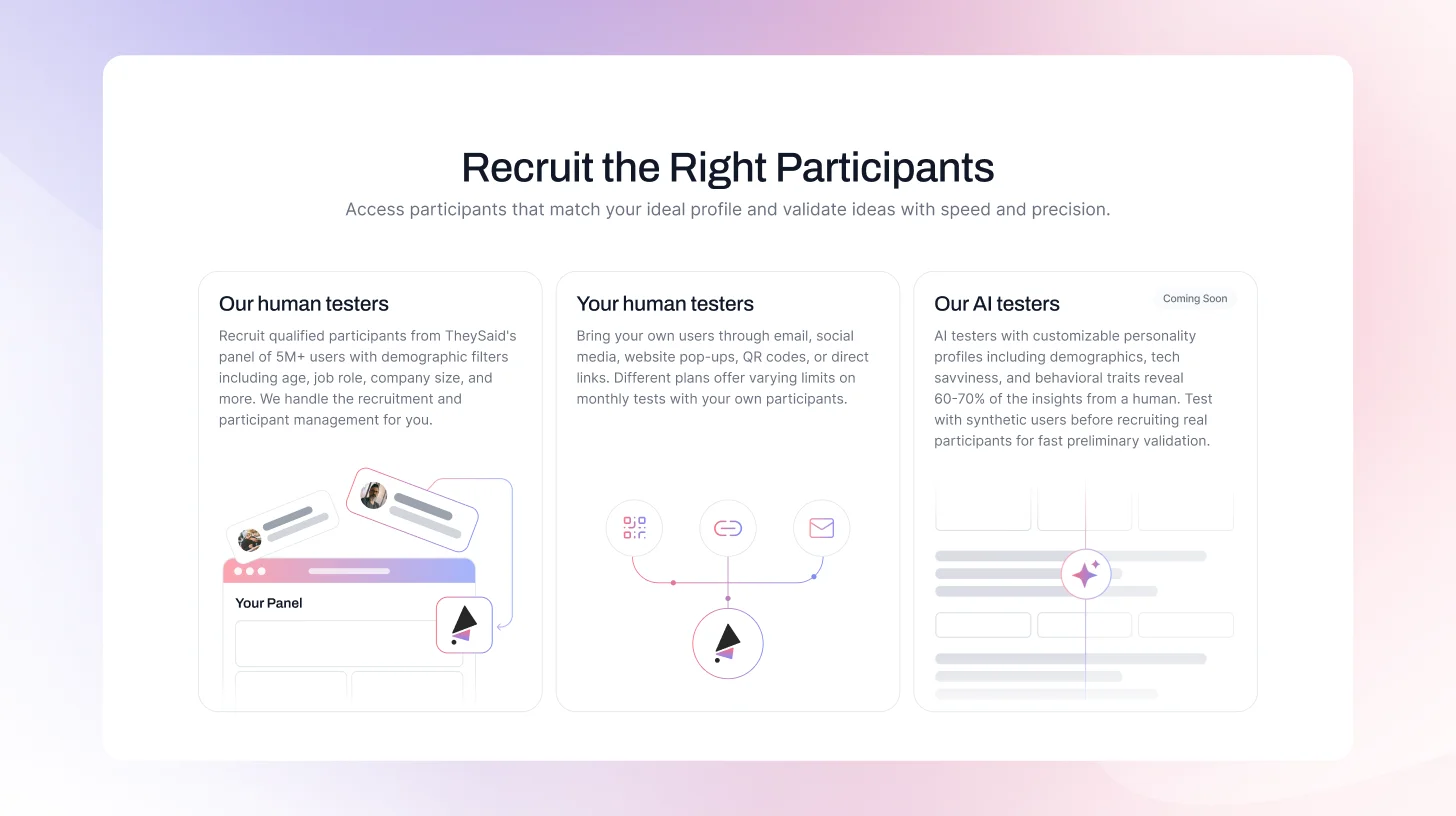
This is where traditional testing and TheySaid diverge most sharply. You have three options:
- Your own users: Recruit through email, in-product prompts, website popups, social media, or QR codes. These are your real customers, in their natural environment, with no panel bias.
- TheySaid's panel: Access 5M+ participants filtered by age, job role, company size, technical proficiency, and behavioral criteria. TheySaid handles all recruitment and participant management.
- AI testers (coming soon): Synthetic users with configurable personality profiles for fast preliminary validation before recruiting real participants.
For most studies, start with your own users. The feedback will be more accurate, more relevant, and more actionable than anything a panel can produce.
Step 5: Launch and Let AI Moderate
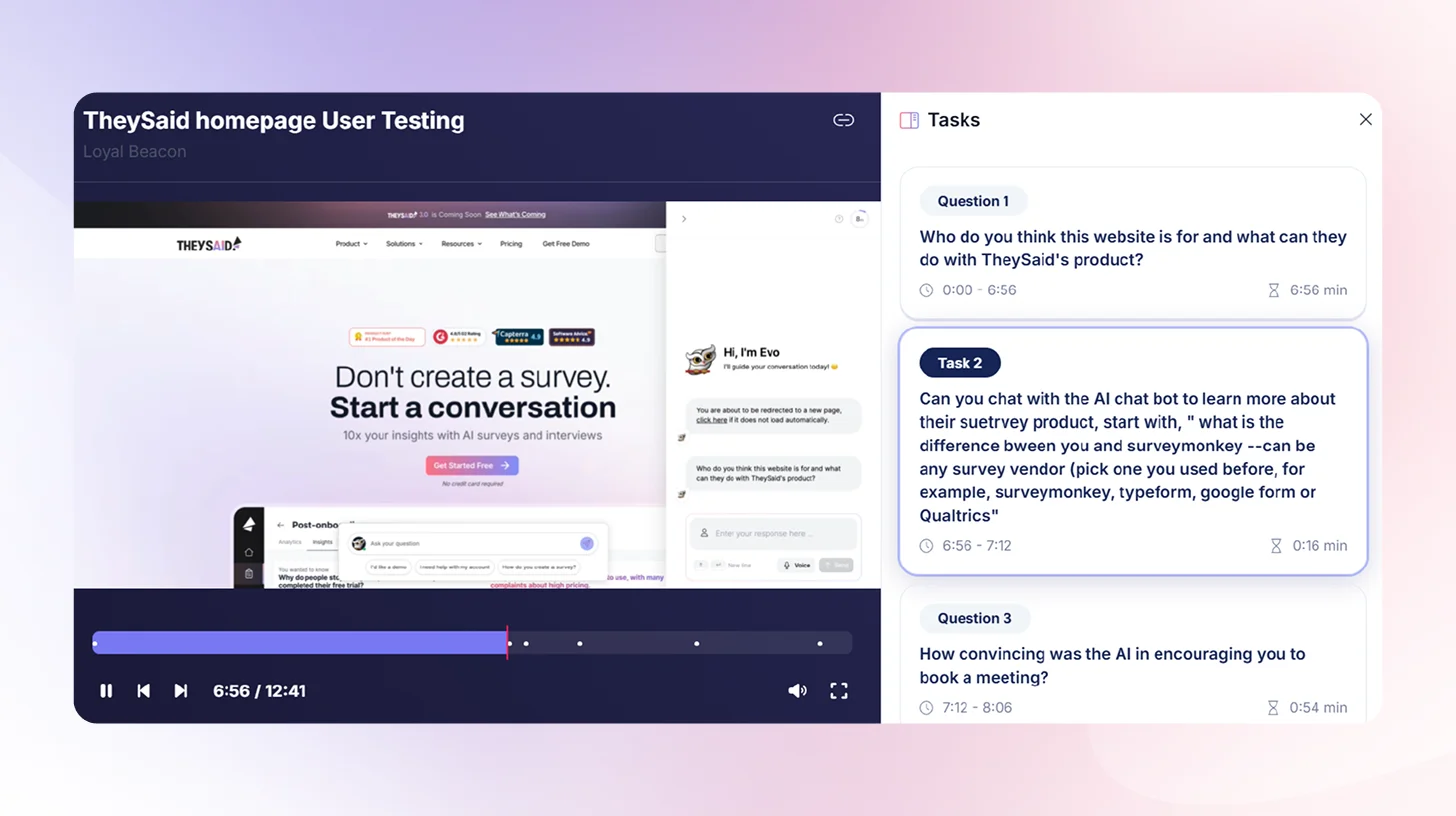
Once your test is live, TheySaid's AI takes over completely. It guides each participant through your tasks, reads questions aloud, listens to voice responses, transcribes in real time, and asks intelligent follow-up questions when it detects confusion or hesitation.
You do not need to be present. You do not need to schedule sessions. Every participant gets a fully moderated experience — simultaneously, at any scale, around the clock.
Step 6: Review AI-Generated Insights
When sessions are complete, TheySaid does not hand you a folder of recordings. It hands you answers.
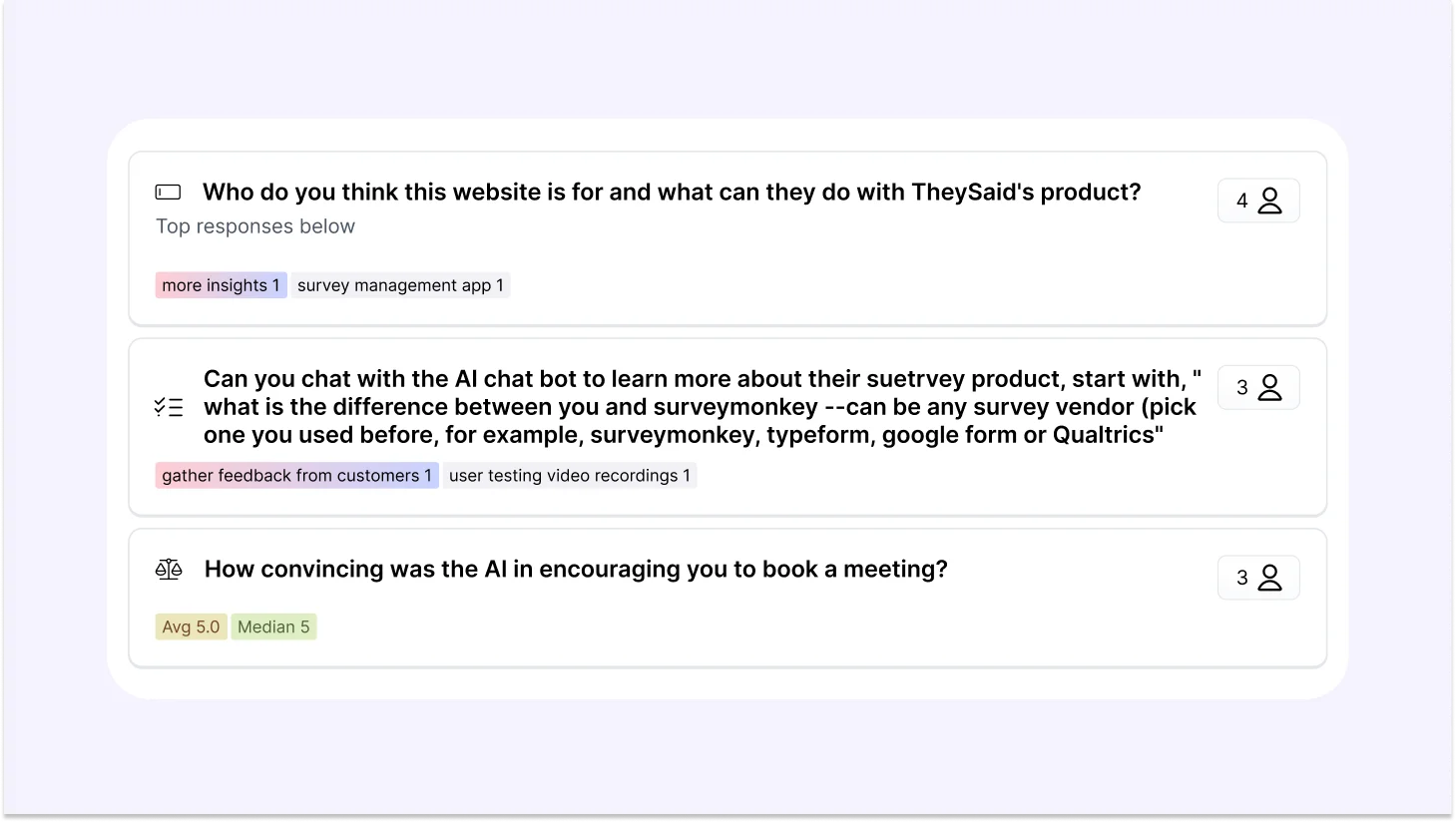
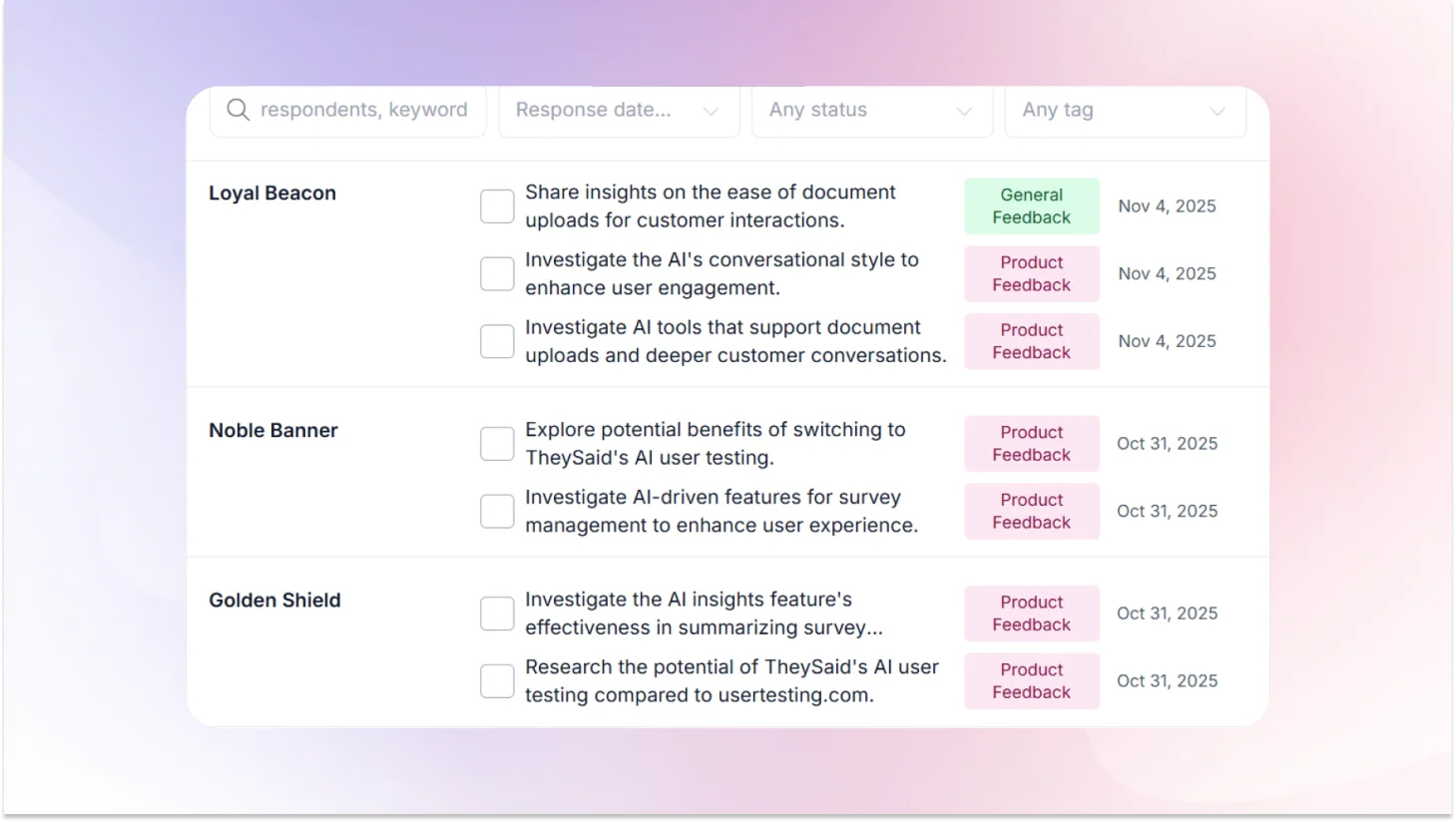
The AI analyzes every session automatically, identifies recurring usability problems across participants, rates each issue by severity and frequency, and generates specific recommendations for what to fix and how. You can also create clips of key moments, stitch them into highlight reels for stakeholders, and query the entire dataset using the Ask AI assistant in plain language.
What used to take a researcher three days of synthesis now takes an afternoon of review.
Step 7: Share Findings and Ship With Confidence
TheySaid generates shareable insight reports your whole team can act on — not raw transcripts that require interpretation. Product managers get prioritized fix lists. Designers get behavioral context. Stakeholders get clip reels showing exactly what users struggled with.
No more "the research says users are confused." Instead: "here is the exact moment, here is the pattern across 80 sessions, and here is what we change."
That is the difference between research that sits in a folder and research that moves a roadmap.
FAQs
What is vibe testing?
Vibe testing is AI user testing that matches the speed of building. Coined by TheySaid, it completes the modern product stack vibe coding builds fast, vibe design prototypes fast, and vibe testing validates just as fast. Instead of research slowing your roadmap down, feedback arrives while decisions are still reversible and the cost of being wrong is still low.
What tools are used for AI user testing?
The leading AI user testing tools in 2026 include TheySaid, Maze, UserTesting, Outset.ai, and Lyssna.
Is AI user testing good for qualitative research?
Yes, and this is one of the most common misconceptions about AI user testing. Early platforms were primarily quantitative, measuring task completion rates and click paths. Modern AI user testing platforms conduct full qualitative research at scale, voice conversations, open-ended follow-up questions, sentiment analysis, and thematic clustering across hundreds of sessions.
Can AI replace human user testing?
AI replaces the operational parts of moderation, transcription, tagging, and synthesis. It cannot replace the strategic parts research framing, empathy, and identifying problems nobody thought to test for. Researchers who adopt AI testing do not do less research. They do more of the research that actually matters.
Can AI replace human UX researchers?
No. AI handles the busywork. Researchers handle the strategy. The role shifts from processing data to acting on it, which is a significant upgrade, not a threat.
How accurate is AI user testing?
For identifying recurring usability problems across large sample sizes, AI user testing is highly accurate — often more so than small moderated studies. For deep emotional nuance and accessibility research, moderated human sessions remain the gold standard. The strongest teams combine both.
How many participants do you need for AI user testing?
30–50 participants surface the majority of critical usability issues. 100 or more sessions produce statistically reliable quantitative benchmarks. For early concept validation, even 10–15 sessions delivers directional signal fast enough to influence a decision.
How long does AI user testing take?
Setup takes under 10 minutes. Sessions run async around the clock. AI analysis completes within 2–4 hours of session completion. The full cycle question to insight akes 1–3 days compared to 3–6 weeks with traditional research.





.svg)


