
Start your next project in seconds, not hours

How It Works
Browse, preview, and launch in a few clicks.

How It Works
The Templates library lives in your left navigation. Browse 30+ templates, filter by department, or search by name to find the right starting point. Each template shows an estimated completion time and department tags so you can quickly assess fit before committing.
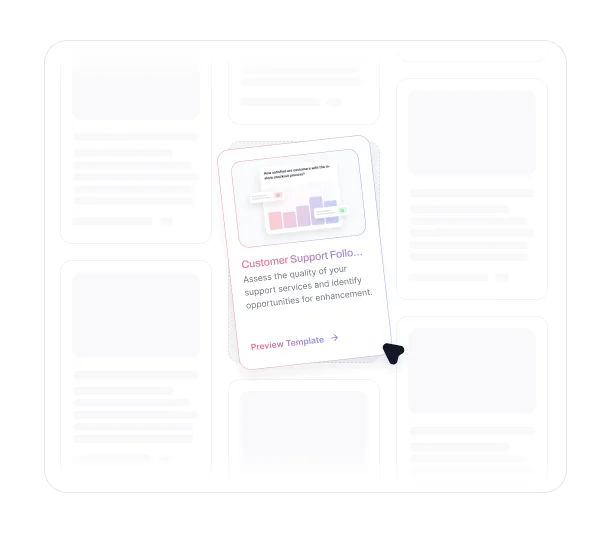
Click any template to preview the full question set before using it. When you're ready, click "Choose Template" to load it into a new project. From there, customize questions, adjust settings, and publish when ready.
Key Benefits
Discover what you can do with TheySaid's templates.

30+ Templates Covering Every Department
Templates span Marketing, Sales, Product, Customer Feedback, and more. Whether you need an onboarding survey, a competitive analysis, brand advocacy research, or an e-commerce user test, there's a starting point built for your use case.
.avif)
Preview Before You Commit
See the full question set before launching. Each template includes a preview so you know exactly what participants will see before you load it into your project.
.avif)
Expert Questions, Ready to Use
Every template comes with pre-built questions designed for its specific use case. Skip the blank page and start with a proven structure you can customize to fit your goals.

Covers Both Surveys and User Tests
Templates aren't limited to surveys. User test templates include task-based questions, think-aloud prompts, and usability scenarios designed for testing real products and prototypes.
.avif)
Filter and Search to Find What You Need Fast
Filter templates by department or search by name to narrow down options quickly. Each template is tagged by department and estimated completion time so you can find the right fit without browsing through everything.
Ready to launch your next project in seconds?
See what customers say about our AI user testing platform





FAQs
TheySaid offers 30+ templates, with new ones added regularly covering a wide range of use cases across Marketing, Sales, Product, Customer Feedback, and more.
Yes. Click any template to see the full question set before committing. A preview shows exactly what participants will see so you can confirm it fits your research goal.
Yes. Once you load a template into a project, you can add, remove, or modify any question before publishing. Templates are a starting point, not a fixed structure.
Yes. The library includes templates for both surveys and user tests. User test templates include task-based questions and usability scenarios designed for testing products and prototypes.
Use the search bar to find templates by name, or filter by department to narrow down options. Each template also shows estimated completion time and department tags to help you assess fit quickly.
For information on saving custom templates, contact the TheySaid support team or visit our help documentation.
Your next project is
one click away
Choose from 30+ templates across every department, preview the full question set, and launch in seconds. No starting from scratch required.


TheySaid User testing recommends questions, delivers via your existing channels, engages your audience,and summarizes results through AI user testing, surveys, and interviews.
.svg)


