
Launch user tests, surveys, and interviews in seconds, not hours
How It Works
Launch feedback programs in four simple steps.

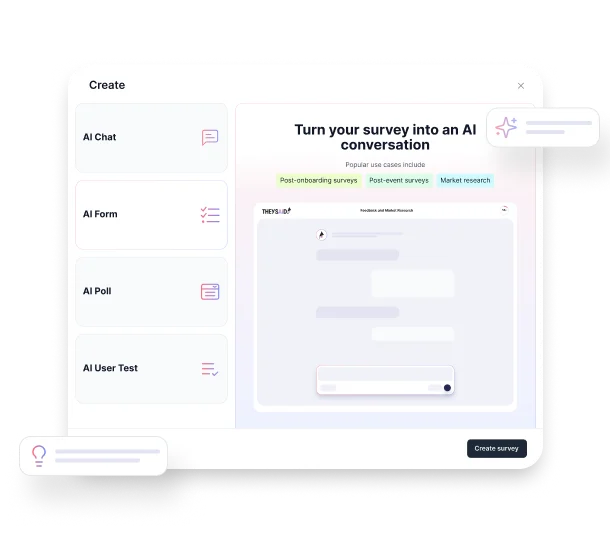
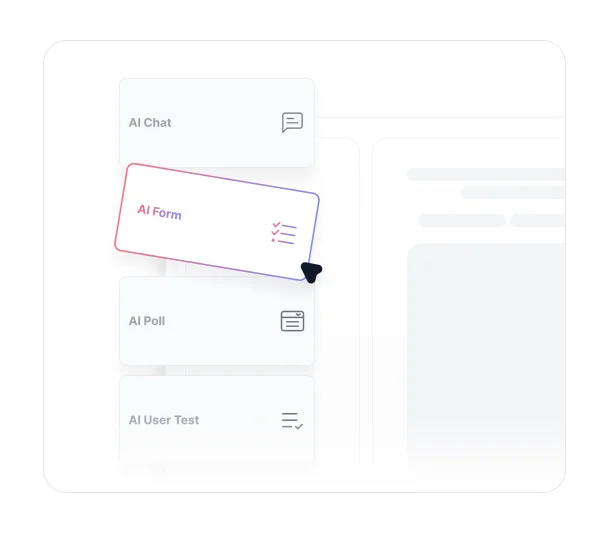
Click "New Project" and Choose Your Format
From your Projects page, click the "New Project" button and select your project type — AI Interviews, AI Surveys, AI Polls, or AI User Tests. You can start from scratch with AI creation, or choose from pre-built templates tailored to common use cases.
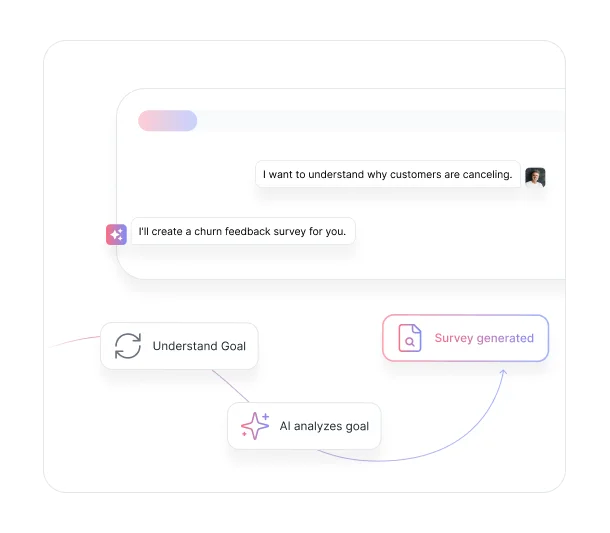

Describe Your Goal in Plain Language
Tell AI what you want to learn in the text box — whether it's understanding churn reasons, testing product concepts, or measuring employee engagement. AI analyzes your learning goal plus context from your Teach AI page to build your project.

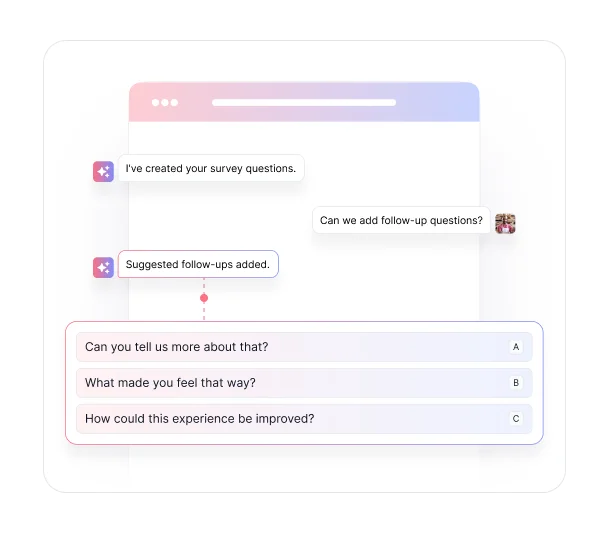
AI Builds Your Project and Suggests Follow-Ups
AI generates your questions and recommends which ones need follow-up questions to fully understand the user's response. You can accept the suggestions or adjust them before moving on.
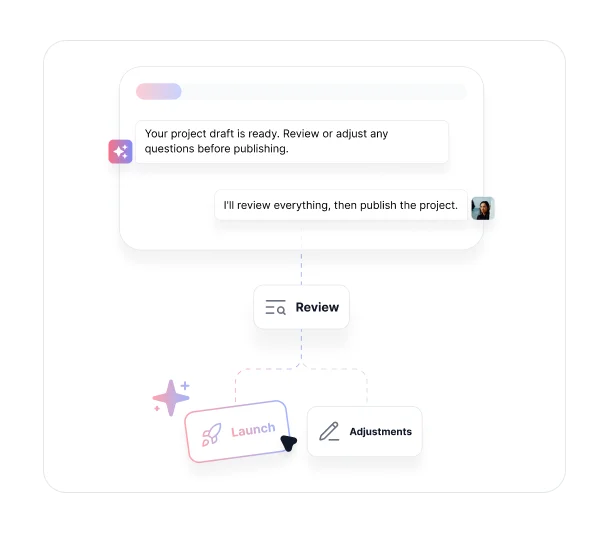

Review, Adjust, and Launch
Review the full draft, make any changes to questions or settings, then click "Publish" to launch and start collecting responses immediately.
Key Benefits
Discover what you can do with AI project management.
.avif)
Launch Feedback Programs Without Research Expertise
Create professional surveys, interviews, and user tests even if you've never built one before. Skip the learning curve of survey design and start gathering insights immediately through automated projects that understand research best practices.

Test Ideas and Concepts Quickly
Validate product concepts, messaging approaches, or new initiatives rapidly. Generate research projects in minutes when you need fast feedback on time-sensitive decisions with intelligent project setup that adapts to your goals.
.avif)
Scale Qualitative Research Across Your Organization
Enable any team member to create research projects without bottlenecking on specialized researchers. Democratize feedback collection while maintaining quality standards through project creation AI that ensures consistency.
.avif)
Eliminate Blank Page Syndrome
Never stare at an empty survey builder wondering what questions to ask. Start with AI-generated questions tailored to your goals using task planning AI, choose from proven templates, or combine both approaches for your specific situation.
.avif)
Start With Pre-Built Templates or Custom AI Generation
Choose from a library of proven templates for common scenarios like NPS surveys, user testing, or employee feedback. Or describe your unique goal and let AI build a custom project. Templates provide quick starts while AI creation offers unlimited flexibility.
.avif)
Create Context-Aware Projects for Any Audience
Generate appropriate feedback programs for different scenarios—employee feedback, customer research, user testing, or market studies. AI adapts question style and format to your specific audience and goals, delivering AI productivity gains across all research types.
Ready to stop starting from scratch?
See what customers say about our AI user testing platform





FAQs
When you describe your goal, AI uses your learning objective and any context you have uploaded through Teach AI to generate relevant questions tailored to your specific situation.
Absolutely. AI creates a complete project draft that you can review and customize. Add questions, adjust wording, change survey formats, or modify distribution settings—AI provides the foundation while you maintain complete control.
AI can generate any feedback format including conversational surveys, structured forms, quick polls, user tests with screen recording, employee 360 reviews, customer interviews, market research, and more. Simply describe what you want to learn.
Yes. You can provide context about your industry, audience, and specific requirements when describing your goal. AI adapts its recommendations based on your unique situation. For common scenarios, templates provide proven starting points that you can customize.
Most teams launch AI-generated projects within 5-10 minutes of describing their goals. The time includes reviewing the project, making any desired adjustments, and setting up distribution channels.
Yes. TheySaid offers both options. Choose from pre-built templates for common scenarios like NPS surveys, onboarding feedback, or user testing. Or use AI to generate custom projects from your description. You can also start with a template and customize it further.
When you've uploaded company context to Teach AI, the project creation AI automatically uses that information to generate more relevant questions. Your product details, services, and pricing information ensure AI creates projects specifically tailored to your business.
Your next project is
one prompt away.
Describe what you want to learn, and AI builds your entire project. Questions, follow-ups, and settings included. Review, adjust, and launch in minutes.


TheySaid User testing recommends questions, delivers via your existing channels, engages your audience,and summarizes results through AI user testing, surveys, and interviews.
.svg)


