Just a few years into the rise of continuous product discovery, teams have learned a hard truth: bad participants ruin good research. In fact, a single poorly recruited user can skew insights, waste budget, and lead to confidently wrong decisions.
But how do you actually find the right participants, the ones who behave like your real customers, not just say what you want to hear? And what does a modern recruitment process look like in 2026?
Read on for a practical breakdown of how to recruit user testing participants the right way, from defining behavioral profiles and writing effective screeners to choosing recruitment channels and setting incentives that drive real show-ups. We’ll also cover common mistakes, trade-offs, and what high-performing teams are doing differently today.
Top Ways to Recruit User Testing Participants
Here’s the fastest orientation if you’re short on time. The full process with screener templates, participant counts, incentive benchmarks, and the AI tester workflow is broken out in detail below.
- Existing Customers (Highest Quality Signal): Email your user base or trigger in-app pop-ups to invite real users. Highest contextual relevance, best show-up rates. Use CRM segments to target specific behavior groups.
- LinkedIn (Best for B2B): Target by job title, industry, company size, and seniority simultaneously. LinkedIn Ads drive respondents to a screener page. InMail works for small-N, highly specific recruitment. Personalize every message.
- Social Media and Community Channels: Post in relevant LinkedIn groups, Reddit subreddits, or industry Slack communities. Best for niche audiences. Be transparent about what you’re building and offer something before you ask.
- Referral Programs: Ask accepted participants to refer colleagues who fit the profile. A genuine referral dramatically increases engagement likelihood, especially in tight-knit professional communities.
- In-Product Intercepts: Recruit participants while they’re actively using your product. Trigger the invite based on specific behavior, completed onboarding, unused features, or recent downgrade. Highest contextual accuracy, 2–5% conversion rate on the prompt.
- TheySaid Panel (Fastest, 1–4 Hours): Recruit directly from 5M+ pre-vetted participants. Set demographic and behavioral filters, publish your project, and responses start coming in within hours. No third-party vendor required.
- AI Testers — Build Your Own (Before You Recruit Anyone Real): Configure custom AI personas in TheySaid by setting demographics, tech savviness, behavioral traits, and experience level. The AI completes your study end-to-end before real participants see it. Catches broken logic, confusing questions, and dead-end branches for free.
Key Steps to Recruit User Testing Participants
This is the short version, a quick-reference checklist you can scan before any study. If you want the full details on each step, skip to the Step-by-Step User Testing Recruitment Guide Section.
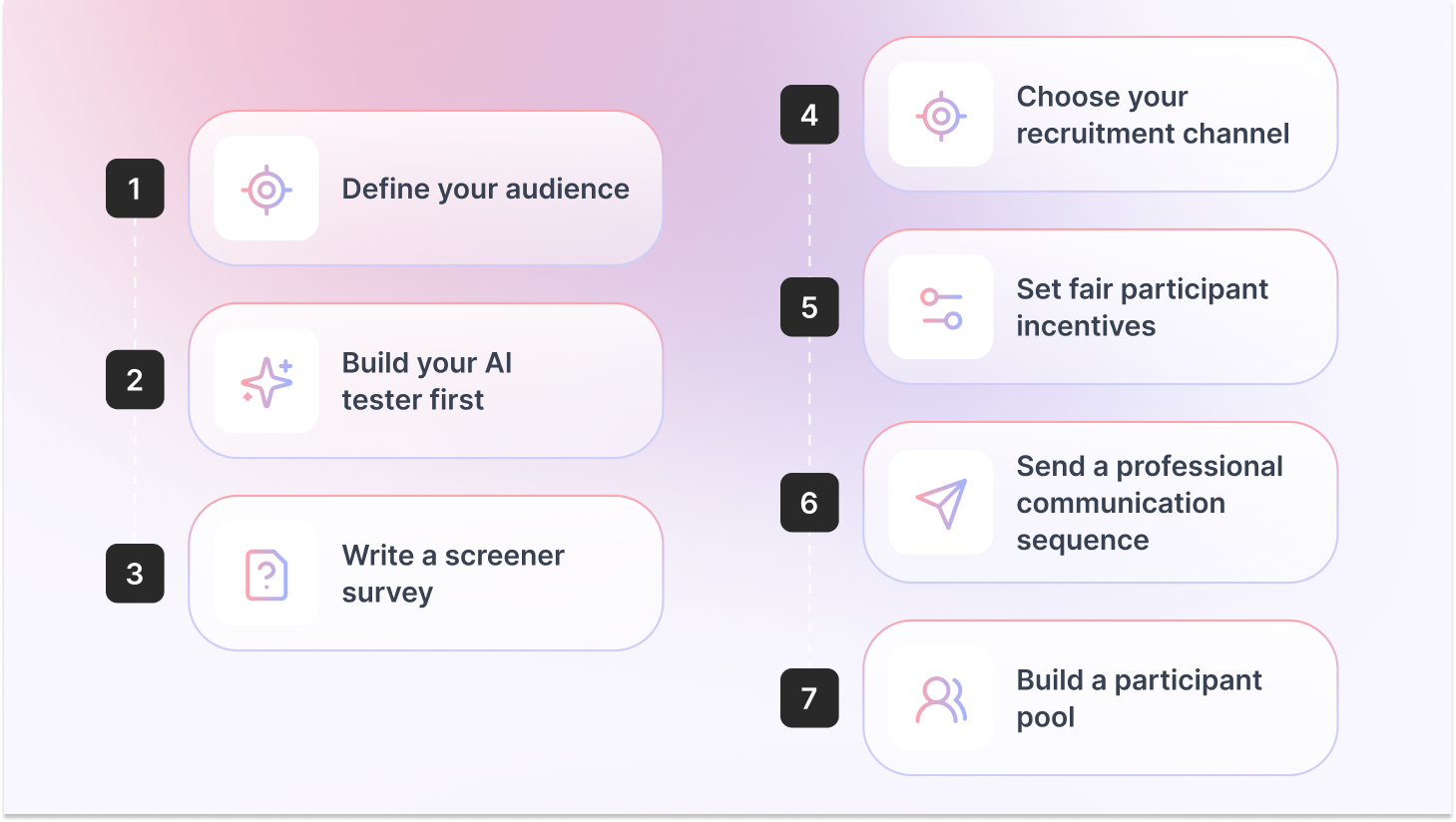
- Define your audience: List the behaviors, role responsibilities, and experience levels you need, not just age and job title. Behavioral qualifiers produce far more useful sessions than demographic filters alone.
- Build your AI tester first: In TheySaid, configure a custom AI persona matching your target user and run your full study through it. Fix broken logic and confusing questions before any real participant sees your project.
- Write a screener survey: 5–10 questions that filter out unqualified participants without signaling the correct answer. Always include a “None of the above” option and at least one behavior-based validation question.
- Choose your recruitment channel: TheySaid’s panel for speed, your customer base for quality, LinkedIn for B2B, social communities for niche audiences.
- Set fair participant incentives: $25–$50/hr for consumers, $100–$200/hr for B2B professionals. Studies offering adequate compensation see no-show rates as low as 1%.
- Send a professional communication sequence: Confirmation immediately, a reminder 24 hours before, and a reminder 1 hour before. Over-recruit by 20–30% for moderated sessions.
- Build a participant pool: Maintain a database of past participants for future studies. Tag them by profile type so you can re-recruit the right people fast without starting from scratch.
Step-by-Step User Testing Recruitment Guide
The overview above gives you the fast version. What follows is the complete process, each step broken down with the specific detail, templates, and judgment calls you need to actually execute it.
Step 1: Define Who You Actually Need Before You Recruit Anyone
The most common user research recruitment mistake: going straight to a channel without defining the person. Teams open a panel, pick a job title, set an age range, and call it targeting. Then they wonder why the feedback feels off.
Your recruitment profile needs to be built around behavior, not demographics alone. A 35-year-old product manager at a Series B startup uses software completely differently than a 35-year-old PM at a Fortune 500. Same title, different mental models, different pain points, different feedback.
Build a Behavioral Recruitment Profile
A recruitment profile is a list of specific, testable attributes:
- Primary behavior: What does this person do regularly that’s relevant to your test? (e.g., “conducts at least 2 customer interviews per month”)
- Role and seniority: Be specific about decision-making authority if it affects the task being tested
- Tool or tech familiarity: Do they need competitor product experience? A specific platform background?
- Experience level with the problem: First-time users vs. power users will give radically different feedback
- Exclusions: Competitors, internal employees, anyone who’s participated in paid research more than 3 times in 90 days
A SaaS team testing an onboarding flow filtered their recruits to sole proprietors or businesses with fewer than 10 employees, who used at least one invoicing or payments tool, and had started the business within 3 years. Three behavioral qualifiers that screened out retired consultants, side-hustlers, and franchise owners, none of whom reflected their actual user. The test results were far more actionable as a result.
Step 2: How Many Participants Do You Actually Need?
The 5-user rule is the most quoted and most misapplied principle in usability testing recruitment. Here’s the accurate version:
Jakob Nielsen’s original research found that testing with 5 participants surfaces roughly 85% of usability problems, but only when your target audience is relatively homogeneous. Multiple distinct user groups means 5 participants per group.
Nielsen Norman Group’s more recent guidance raises the bar for quantitative usability studies to 40+ participants to achieve a 15% margin of error at 95% confidence. Heat maps need 39+ participants. The number is not one-size-fits-all.
Bottom line: 5 is a floor, not a ceiling. It works for catching obvious problems in early prototypes. For anything you’re shipping or roadmapping, go higher.
Recommended Read: 10 Types of User Testing: When to Use Each Method (2026 Guide)
Step 3: Write Screener Questions That Actually Filter
Your screener is the most important part of the user testing participant recruitment process. A bad screener lets the wrong people in. A screener that’s too tight keeps everyone out.
The goal: qualify participants based on real behavior without signaling which answer gets them accepted. The moment your screener reveals the “right” answer, you’ve invited bias in through the front door.
Rules for Effective Screener Questions
- Behavior over opinions: Instead of “Do you use project management software?” ask “Which of the following tools do you use at least once a week?”
- Always include a disqualifying option: Add “None of the above” to every question so respondents can’t guess their way through
- Avoid leading language: Don’t say “Do you struggle with X?” Say “How would you describe your experience with X?”
- Keep it to 5–10 questions: Userlytics research shows screeners longer than 10 questions significantly reduce quality completion rates
- Use frequency, not familiarity: Ask how often someone does something, not whether they’ve heard of it
- Screen out research regulars: Ask if they’ve participated in paid research in the past 90 days. Set a disqualification threshold (e.g., more than 3 studies)
Box
Screener Template: 7 Questions to Adapt
1. Which best describes your current role? [5–6 options + ‘None of the above’]
2. How many employees does your company have? [Ranges + ‘Self-employed’ + ‘I don’t work’]
3. Which of the following tools do you use at least once a week? [Tool list + ‘None of the above’]
4. In the last 3 months, how often have you [relevant behavior]? [Never / Once / 2–5x / 6+ times]
5. How would you describe your experience with [task/tool]? [Beginner / Intermediate / Advanced / Don’t use]
6. Have you participated in paid user research or usability testing in the last 90 days? [Yes / No]
7. Are you currently employed by or affiliated with any of these companies? [Competitor list + ‘None of the above’]
Step 4: Choose the Right Recruitment Channel
The channel you choose depends on three things: how fast you need participants, how niche the profile is, and your budget. Use this as your decision framework:
Most recruitment channels require you to leave your testing platform, go to a separate vendor, wait for approval, and manually reconcile data across tools. TheySaid’s panel is built directly into the platform where your study runs and where insights are generated. Recruit, test, and analyze in one place
Test Your Product with AI Testers Before Real Participants See It.
TheySaid lets you create personalized AI personas, run your full study, and catch every issue — fast, free, and before you spend a dollar on recruitment.
Start your first test free!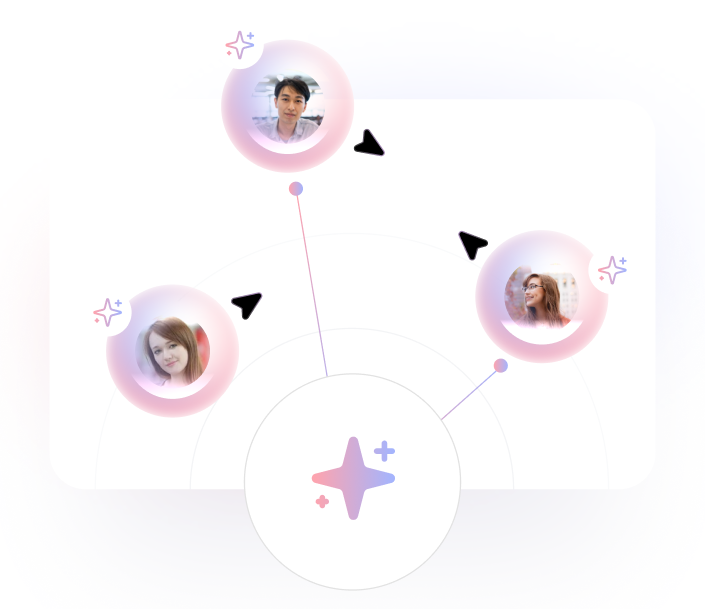
When publishing a project in TheySaid, select the Panel tab and choose “Our AI Testers.” You configure each simulated participant from scratch:
Each AI tester navigates your study end-to-end: answering questions, triggering conditional logic branches, responding based on the profile you configured. Use them to catch broken flows and confusing questions before they waste a real participant’s session.
Recommended Read: AI in User Testing: Every Question PMs and UX Researchers Actually Ask — Answered
Step 5: Set Participant Incentives That Drive Show-Ups
No-shows are one of the most common (and frustrating) issues in user research. Setting the right participant incentive is your biggest lever to reduce them.
If incentives are too low, participants are more likely to cancel last-minute or not show up at all. If they’re fair and aligned with the participant’s time and profile, commitment increases significantly.
The key is to treat incentives as part of your research investment—not a cost to minimize. Under-incentivizing often leads to wasted time, delayed timelines, and lower-quality insights.
Aim to match incentives with the effort required, the participant’s expertise, and the level of demand for that audience.
For B2B recruitment, charitable donations in the participant’s name are increasingly common. Some professionals won’t accept personal payment but will participate if you donate to a cause they care about. Worth offering both options in your screener.
Step 6: Reduce No-Shows With a Simple Communication Sequence
Recruiting a participant and having them actually show up are two different problems. The gap between them is communication. A simple three-touch sequence cuts no-shows significantly:
- Confirmation immediately on acceptance: Time, format (moderated or unmoderated, video or no video), and what to expect. Under 150 words.
- Reminder 24 hours before: Restate the time, link, and incentive. Ask them to reply if they need to reschedule. This single message makes the biggest difference.
- Reminder 1 hour before: Short text or email. “Your session starts in 1 hour — here’s the link.” That’s it.
- Over-recruit by 20–30%: For a study requiring 8 moderated sessions, recruit 10–11. Last-minute drops happen regardless.
Step 7: Recruiting Hard-to-Reach Participants
Some user groups are genuinely difficult to find. Healthcare professionals, C-suite executives, developers with a specific stack, compliance officers, none of these people are sitting on general consumer panels.
Proxy Participants
If you can’t reach your exact target, a proxy, someone sharing the core behaviors, even if the title doesn’t match, can fill gaps. A VP of Marketing at a mid-size company can stand in for a CMO at an enterprise in many cases. Be explicit about what the proxy does and doesn’t represent when sharing findings.
Snowball Sampling
Ask accepted participants to refer others who fit the profile. A genuine referral dramatically increases engagement likelihood. Works especially well in tight-knit professional communities (legal, medical, finance).
Conference and Event Recruiting
Industry conferences concentrate on your exact target user. A brief hallway conversation and a follow-up email can convert into a session within days. Some teams sponsor a session or set up a recruiting desk specifically to access a concentrated participant pool.
Specialized Niche Panels
For very specific profiles, general panels won’t cut it. Niche panels exist for healthcare, accessibility testing, and specific industries. Research available options for your vertical before assuming general panels are the only route.
How AI-Moderated Testing Changes the Recruitment Math
Traditional moderated research has two expensive bottlenecks: finding qualified participants and moderating sessions. AI-moderated testing compresses both.
When the AI handles moderation, asking follow-up questions, probing hesitation, and adapting in real time, the researcher doesn’t need to be on every call. That unlocks a different approach to user research recruitment: instead of planning one large quarterly study with a tightly managed participant pool, you run smaller, faster tests continuously. The recruitment bar is lower because sessions fill faster, and insights arrive in hours instead of weeks.
TheySaid’s AI moderates each session, probes for the ‘why’ behind user behavior, and automatically surfaces themes across all sessions. You can recruit from the 5M+ panel or bring your own list. Either way, you’re not stuck watching recordings for hours to extract what happened.
Recommended Guide: Synthetic User Testing: Guide for Product Teams and UX Researchers
Pro Tips for User Testing Recruitment
- Test early and often: Don’t wait for a perfect prototype. Run AI testers on rough concepts to catch structural issues, then bring in real participants once the flow is solid.
- Avoid familiarity bias: Don’t test only with people you know or existing power users. Your next customer is not your current power user. Recruit outside your immediate network for any test that informs a major decision.
- Use screeners wisely on social media: Social and community channels attract motivated respondents but also bots and unqualified participants. Always use a screener with behavior-based validation questions, ask someone to describe a workflow in detail, not just select a job title.
- Match the moderation format to the research question: Moderated testing, where an AI or human researcher guides the session, produces richer insight but requires more scheduling. Unmoderated testing fills faster and scales further, but misses the ‘why’ behind behavior. AI-moderated platforms like TheySaid give you the depth of moderated research without the scheduling constraint.
- Never rely on a single channel: The best research teams layer channels. Start with AI testers to validate the study, recruit core participants from the panel or customer base, and supplement with LinkedIn or community outreach for hard-to-reach profiles.
Recruitment Checklist: Before You Launch Your Study
User Testing Recruitment Checklist
☐ Behavioral recruitment profile defined (not just demographics)
☐ Participant count set based on study type and number of user groups
☐ Screener written: 5–10 questions, each with a disqualifying option
☐ Screener reviewed for leading language — no question signals the right answer
☐ AI testers run first to validate logic and question flow
☐ Recruitment channel selected based on audience type and timeline
☐ Participant incentives set at market rate for participant type
☐ 20–30% over-recruit buffer applied for moderated sessions
☐ Confirmation email ready to send immediately on acceptance
☐ 24-hour and 1-hour reminders scheduled
☐ Competitor exclusion confirmed in screener
☐ Participant frequency cap checked (no repeat research regulars if relevant)
Frequently Asked Questions
What is a screener question in user testing?
A screener question is a filter used before a user testing session to qualify or disqualify potential participants. Good screener questions assess real behavior tool usage, task frequency, and role responsibilities without revealing which answer is correct. The goal is to ensure the people who show up actually reflect your target user.
How do you avoid professional testers in user research?
Ask in your screener how many paid research studies the person has done in the last 90 days, and disqualify above a threshold (e.g., more than 3 studies). Add behavior-based validation questions that professional testers can’t fake — asking someone to describe a specific workflow in detail rather than just selecting a job title. Use platforms that actively limit how frequently the same person can join studies.
How long does it take to recruit user testing participants?
With TheySaid’s panel, most studies receive responses within 1–4 hours of publishing. General consumer panels typically fill within 24–48 hours. B2B recruitment takes 1–2 weeks. LinkedIn-based outreach for niche executives can take 2–4 weeks.
What incentives should I offer user testing participants?
Consumer participants: $25–$50 per hour. Professional B2B participants: $100–$200+ per hour. Existing customers can often be incentivized with product credits or early access. For senior executives, charitable donations in their name are sometimes more effective than direct payment.
How do you recruit B2B participants for user research?
B2B user research recruitment works best through: TheySaid’s panel with B2B/employment filters (job title, company size, industry, seniority); LinkedIn Ads targeting specific roles; in-product intercepts for users matching the profile; or your own customer CRM segments. Always add behavior-based screener questions to validate participants actually have the role responsibilities you need, not just the title.
Can I use AI testers instead of recruiting real participants?
AI testers are not a replacement for real participants htey’re a preflight check. You configure the persona (demographics, tech savviness, behavioral traits, experience level), and TheySaid’s AI completes your study the way that the user type would. Use them to catch broken logic and confusing questions before real participants see your study. Then recruit real users for the insights that only humans can provide.
How do I recruit user testing participants for free?
Free usability testing recruitment options include: your existing customer base (via email or in-app prompts), your personal and professional network for early-stage research, social media posts and relevant Slack or Reddit communities, and guerrilla testing with people nearby. TheySaid’s Free plan lets you run up to 5 tests per month with your own participants at no cost. Panel recruiting and paid participant incentives are the main costs to plan for.
Ready to start recruiting for your next user test?
TheySaid gives you three ways to find participants: recruit from a 5M+ panel, bring your own participants or run AI testers. AI moderates every session, asks follow-up questions in real time, and surfaces insights automatically.
Start your first test free!