
We've shipped two of the biggest product updates, and we're excited for you to try them.
The analytics dashboard has been completely redesigned for AI user testing, with per-question themes, AI-generated key moments, and a learning goal summary that gives you the full picture the moment you open a project. And with Clips & Highlight Reels, you can now capture standout moments from your sessions, stitch them into a reel, and share them with your team in minutes.
Here's everything that's new and how to make the most of it.
A redesigned analytics dashboard, built for AI user testing
The new analytics dashboard is purpose-built for the way AI user testing actually works. Every insight is surfaced in context right next to the question it came from, so you spend less time hunting and more time acting.
Themes and key moments, per question
For open-ended questions with AI follow-ups enabled, the dashboard now automatically generates themes across all your responders. You see the patterns across your testers at a glance and exactly how many people contributed to each one.
Drill into any theme to see key moments: video clips pulled directly from responder sessions that illustrate that theme, plus AI-generated recommendations tied to what your testers actually said. Real insight, right where you need it.

Responder-level view
The Responders tab gives you a full list of everyone who answered a given question. Click any name, and you jump straight into their individual session, no context lost, no extra navigation.

Average time per task
For task-based tests, the dashboard now tracks exactly how long each tester spent on each task, broken down by individual responder. It's a powerful signal for spotting friction fast.
Learning goal summary
Your project's learning goal now sits at the top of the dashboard, with an AI-generated recap of what was learned across all responses. Share the link with a stakeholder, and they have the headline finding before they even scroll.

Insights and Action Items are now inline
Insights and recommendations no longer live in separate tabs; they're surfaced per question, directly on the Analytics page. Everything stays connected to the context that made it meaningful.

Updated share view
The shareable dashboard link now reflects the new layout. Recipients can explore themes and key moments in a clean, view-only format.

Clips & Highlight Reels: Share research that actually gets watched
You can now clip specific moments from user test recordings, compile them into a highlight reel, and share them with your team all without leaving TheySaid.
Create a clip in seconds
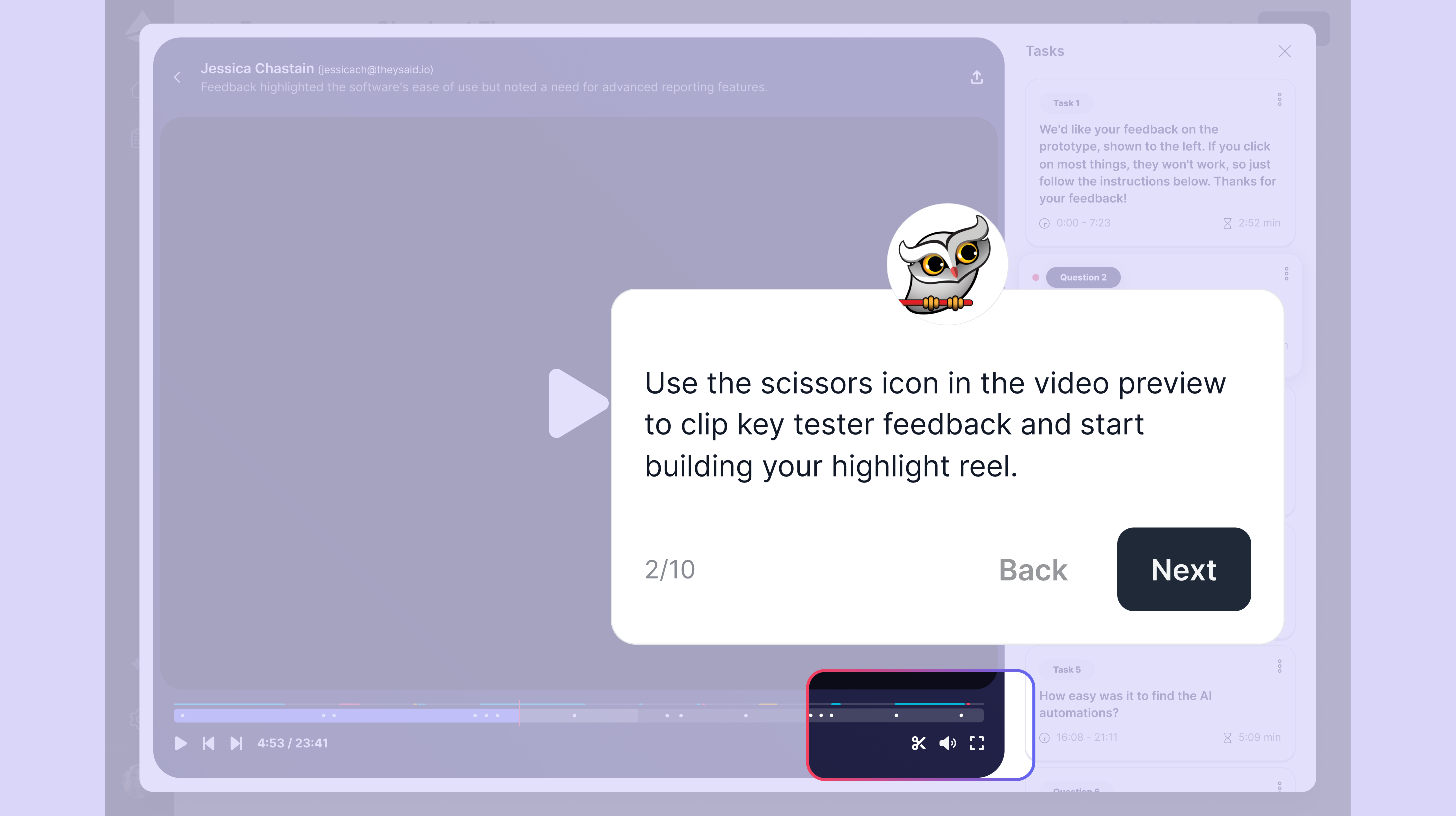
Open any responder's session and navigate to a question. TheySaid automatically highlights the relevant portion of the recording. Hit the scissors icon, add a title, and it's saved as a clip. Finding the moment takes no effort at all.
Build a reel from your clips
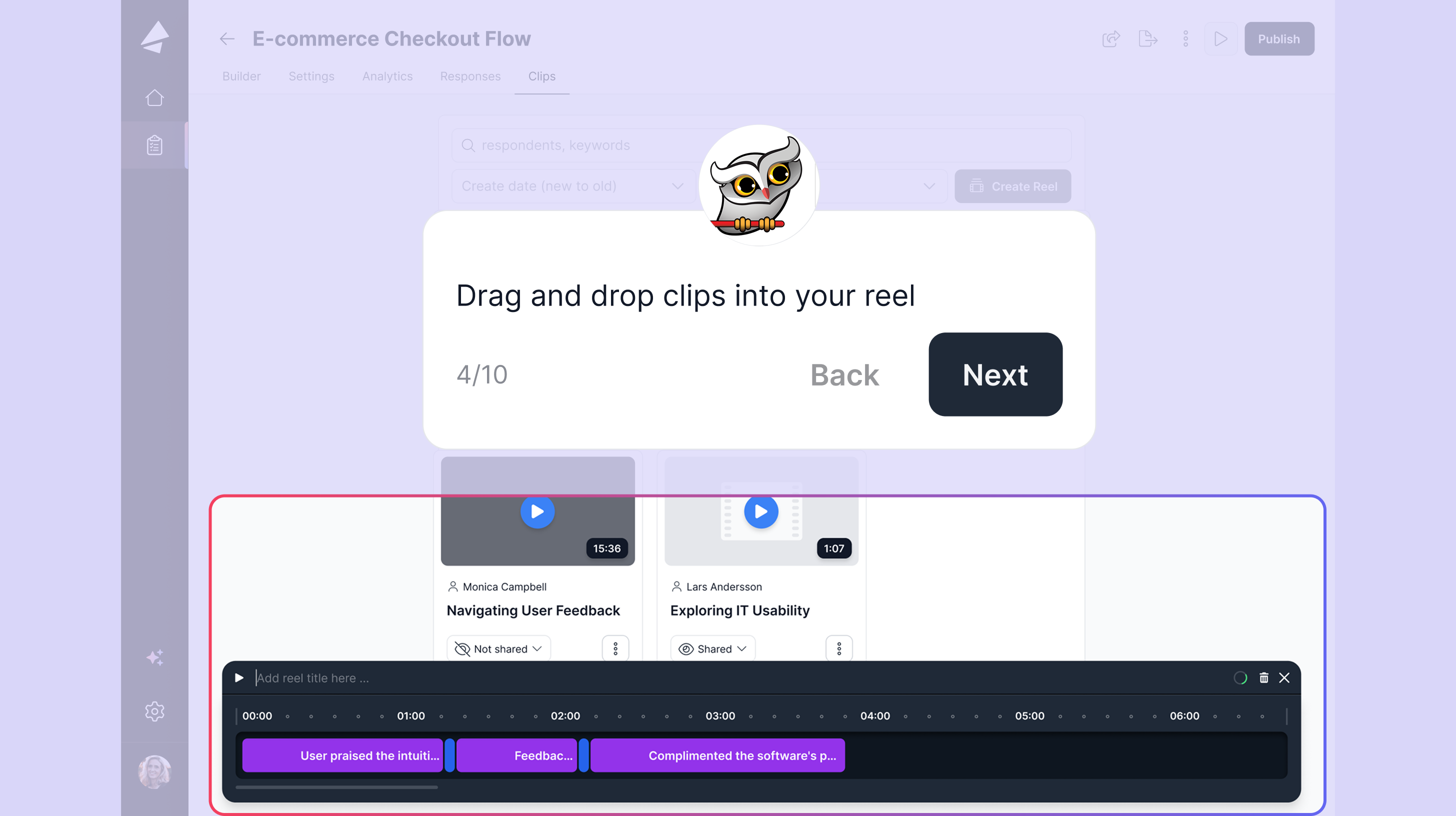
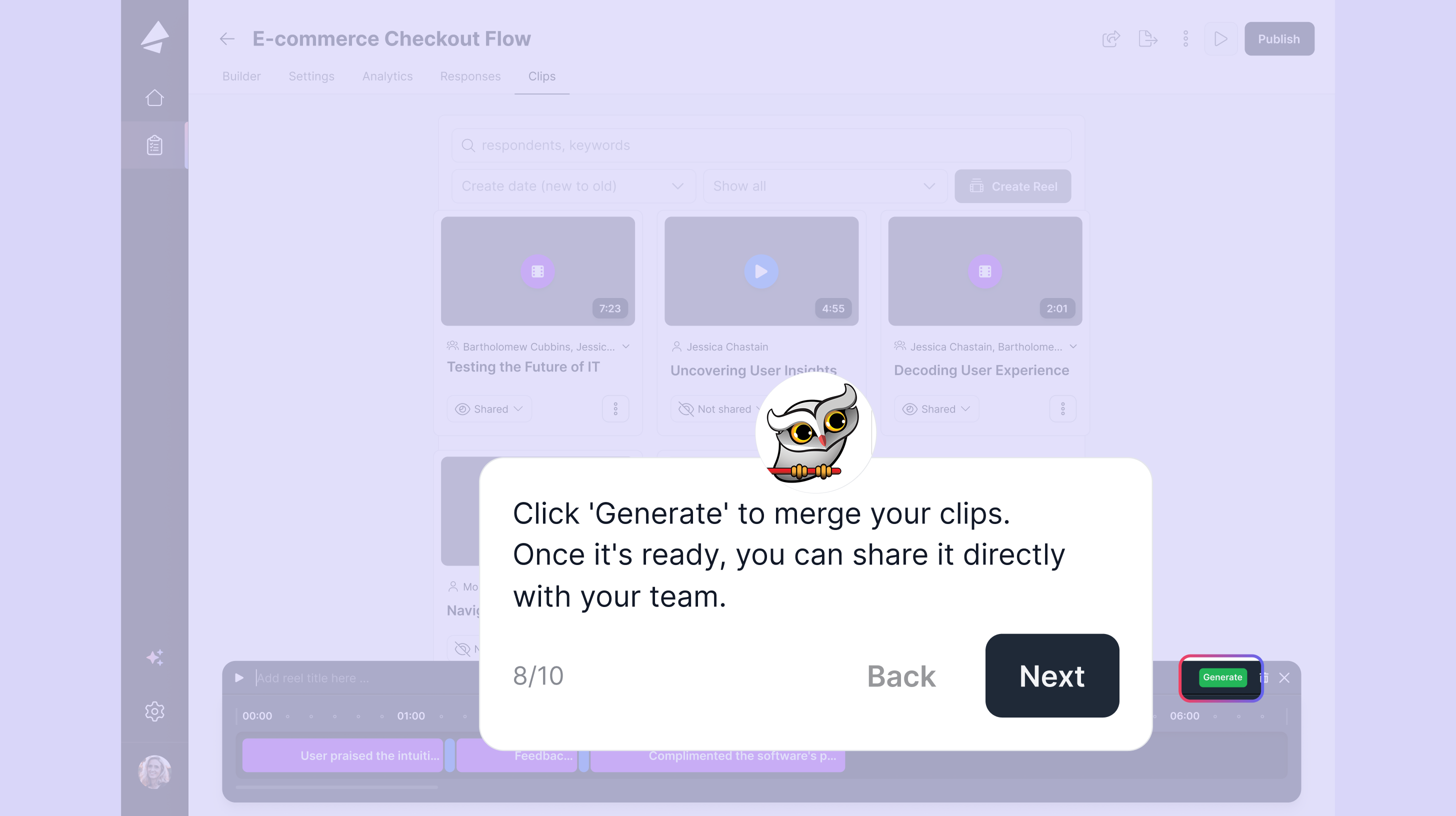
Select the clips you want, drag them into order, add timed text transitions between them, and hit Generate. What you get is a single, shareable video that tells the story of your research read, to drop into a product review, a Slack message, or a stakeholder deck.
With Clips & Highlight Reels, you can:
• Capture standout moments from any user session in seconds
• Sequence clips from multiple testers into one compelling reel
• Add transition text between clips to guide your viewer
• Share via URL, no export, no editing software, no extra steps
• Preview your reel as you build it before generating the final version

Available to all user roles
Every user in TheySaid ( admin, member, and viewer ) can create clips and build reels. Research evidence is for everyone.
Embed support coming in May
Reels are shareable via URL right now. Rich embed support with thumbnail previews in Notion, Confluence, and Google Docs is shipping soon.
Built for researchers, designers, and PMs alike
UX researchers
Surface themes and key moments automatically, then package the most compelling clips into a reel your stakeholders will actually watch. Spend your time on the research, not the reporting.
Product designers
Test early directions, capture the reactions that matter, and share them with your team before a single pixel is committed to production.
Product managers
Get the headline finding from the learning goal summary in seconds. Bring a highlight reel to your next product review instead of a slide deck full of quotes.
Guide: Using the new Analytics Dashboard
A step-by-step walkthrough of themes, key moments, the learning goal summary, and the updated share view.
View guide: https://app.guideflow.com/player/mk64230fqr
Guide: Creating Clips & Highlight Reels
Learn how to clip moments from sessions, build your first reel, and share it with your team.
View guide: https://app.guideflow.com/player/zpel8jjb3k
The new analytics dashboard and Clips & Highlight Reels are live now. Log into TheySaid and see what your research looks like with both of them on.
Frequently asked questions
Where did the Insights and Action Items tabs go?
They've been consolidated into the Analytics page. All insights now live inline, per question, right where the context is.
Who can create clips and reels?
All user roles, admin, member, and viewer, can create clips and build highlight reels.
Can I share a reel with someone outside my team?
Yes. Every reel gets a shareable URL. Anyone with the link can view it. Rich embed support is coming in May.
Do themes appear for every question type?
Themes are generated for open-ended questions with AI follow-ups enabled. They are not shown for non-open-ended question types.
Can I still edit my learning goal after publishing?
Yes, editing your learning goal and refreshing the AI summary works exactly as before.
Does the data export change with the new dashboard?
No. The export function still exports all responses, regardless of which page you're on when you trigger it.