
TL;DR
User testing and usability testing often get used interchangeably. They shouldn’t. Confusing the two quietly drains research budgets and pushes product decisions off track. User testing answers the upstream question: Should we build this at all? It validates core value, desirability, and whether a feature solves a real user problem. Usability testing comes later. It answers a different question: Did we build it right? It measures clarity, ease of use, and where friction breaks the experience.
In simple terms, Usability testing is a focused subset of user testing; user testing covers the full range of product validation, from early concept checks to broader desirability and fit.
Let's imagine a scenario.
You've just shipped your MVP after weeks of design and development. You ran sessions with real users. They completed the key tasks without confusion. The interface worked. Feedback sounded positive.
So you shipped.
Three weeks later, engagement drops. Users don't return. Support tickets aren't about broken flows or confusing UI; they're about value. "I don't really get what this is for." The product functions perfectly. But it doesn't solve a problem users actually have.
What went wrong?
In most cases, teams skip user testing and go straight to usability testing. They validate whether users can use the product, but never validate whether users actually need it. And in the product development lifecycle, that's a critical sequencing mistake. Usability testing evaluates the quality of your interface. User testing validates the quality of your idea. One without the other leaves a dangerous blind spot in your product validation process.
Let’s break down user testing vs usability testing and why the order can determine whether your product succeeds or stalls.
User Testing & Usability Testing, Powered by AI
Validate real demand before you build.
Eliminate friction before you launch.
AI-moderated sessions with instant insights, video clips, and prioritized fixes.
What is User Testing?
User testing is the process of putting your product concept, idea, or early design prototype in front of real people and watching how they react. You observe their behavior, listen to their thoughts, and gather honest feedback to confirm you're actually solving a real problem for real humans.
It answers the fundamental questions every product team should ask before committing to development:
- Does this problem actually exist?
- Is our target audience experiencing this pain point frequently enough to seek a solution?
- Are we the right solution, or are users already solving this another way?
- Would real people change their current behavior to use what we're building?
If your team can't answer these questions with confidence, you're not ready for usability testing. You're not even ready for design. You need user testing first.
What Is the Purpose of User Testing?
The core purpose of user testing is simple: bring real user evidence into product decisions before major resources are committed.
It gives product and UX research teams direct visibility into real user needs, behaviors, and motivations before design, engineering, and marketing momentum makes course correction expensive.
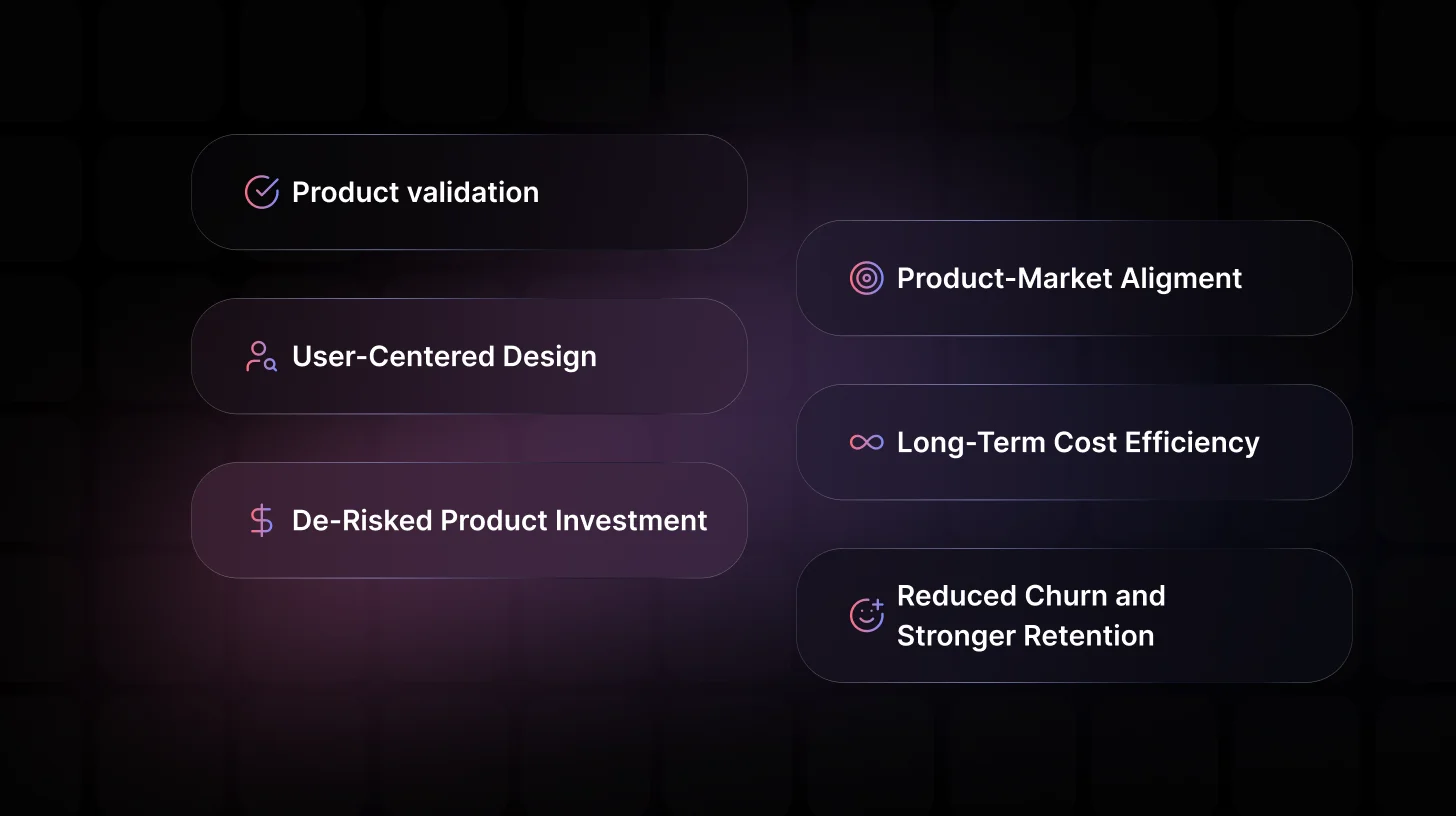
Below are the key outcomes strong user testing drives:
1. Product Validation Before Development Begins
User testing confirms whether your product concept resonates with your target audience early, before design, engineering, and QA resources are invested. It answers the critical question: Is this worth building in the first place?
2. A True Foundation for User-Centered Design
Instead of designing around internal opinions, user testing anchors your product development process in real human behavior. It replaces assumptions with observable patterns.
3. De-Risked Product Investment
Every roadmap item competes for limited time and capital. User testing helps identify weak ideas before they consume engineering capacity, marketing budgets, or strategic focus.
4. Stronger Product–Market Alignment
When product direction is validated against real-world behavior, you move closer to product-market alignment, not just internal consensus.
5. Long-Term Cost Efficiency
Fixing a flawed assumption during early user testing costs a fraction of correcting it after six months of development. User testing isn’t an added expense; it compounds the efficiency of every other investment.
6. Reduced Churn and Stronger Retention
Post-launch user testing surfaces why users fail to activate, disengage, or never return. These behavioral insights transform a product people try into one they continue using.
Pro Tip
Don’t wait for a polished prototype. The earlier you pressure-test assumptions through user testing, the less you’ll spend fixing preventable mistakes and the more confident your entire team becomes in every decision that follows.
For a complete breakdown of user testing including methods, best practices, and real-world use cases, read our full guide on what user testing is.
What’s the Purpose of Usability Testing?
The core purpose of usability testing is to evaluate the quality of the user experience once a solution exists.
While user testing validates whether an idea deserves to be built, usability testing ensures the built experience works the way real users expect it to.
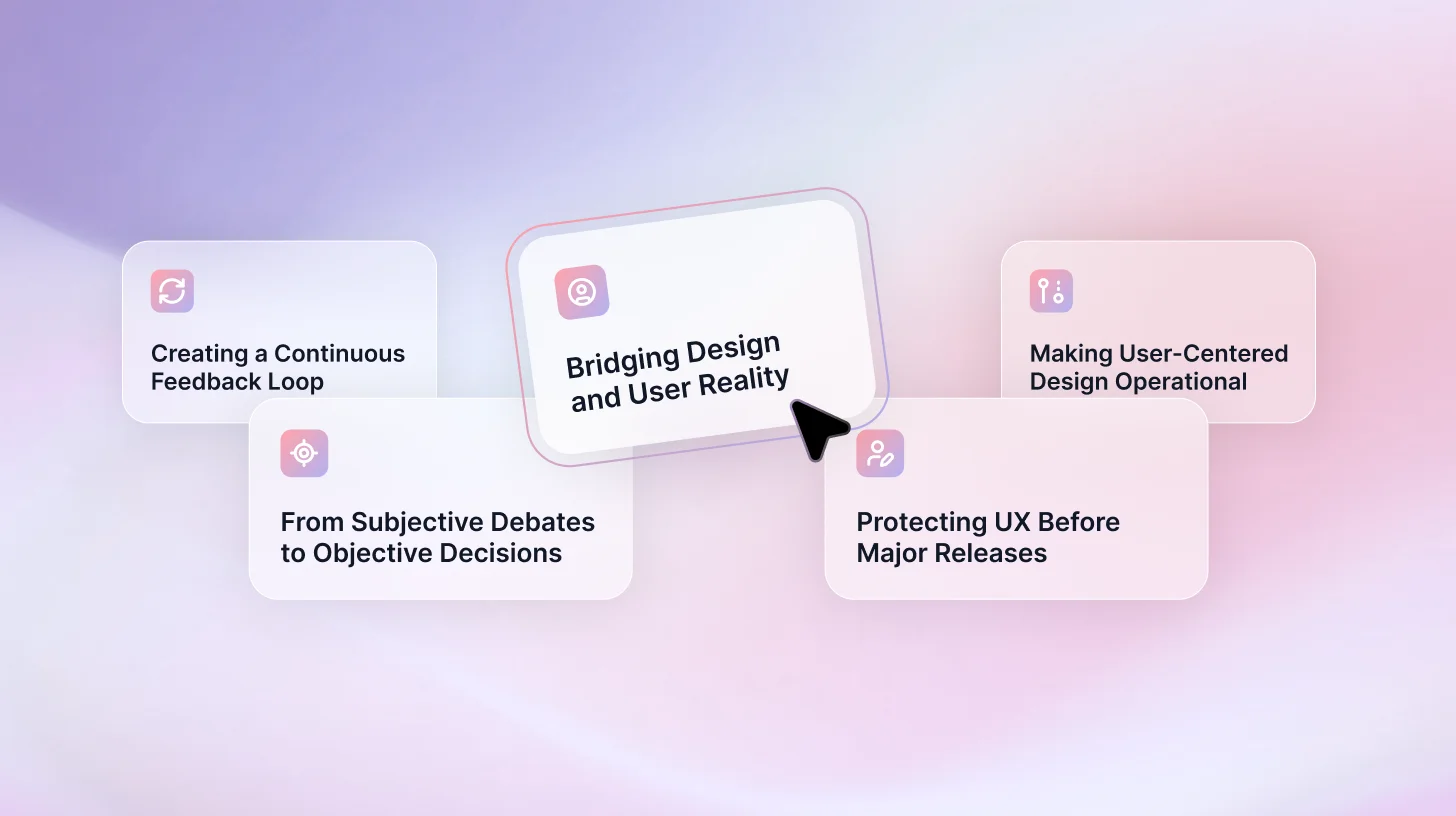
Here’s what strong usability testing enables:
1. Bridging the Gap Between Design Intent and User Reality
What your team designs and what users actually experience are rarely identical. Usability testing exposes where confusion, hesitation, or friction appear, giving designers and product managers behavioral evidence to close that gap.
2. Turning Subjective Design Debates Into Objective Decisions
Design discussions often revolve around preference. Usability testing shifts the conversation from “Which version feels better?” to “Which version performs better?” It replaces opinion with observable user behavior.
Asking the right questions is what turns sessions into decisions. Here are 30+ user testing questions and a funnel framework to guide you.
3. Protecting the User Experience Before Major Releases
Before new features go live, usability testing confirms that users can complete critical tasks smoothly. Catching friction early prevents avoidable support tickets, negative reviews, and churn later.
4. Creating a Continuous Feedback Loop
Usability testing isn’t a one-time pre-launch activity. Integrated throughout the product development lifecycle, it informs each design iteration with fresh behavioral insight, steadily improving clarity, efficiency, and task success.
5. Making User-Centered Design Operational
User-centered design is often treated as a philosophy. Regular usability testing turns it into an operational discipline, grounding every interface decision in real-world interaction patterns rather than internal intuition.
Stop Guessing. Start Validating.
From early concept validation to task-based usability testing, TheySaid runs intelligent AI-moderated sessions in minutes not weeks.
Get started for free
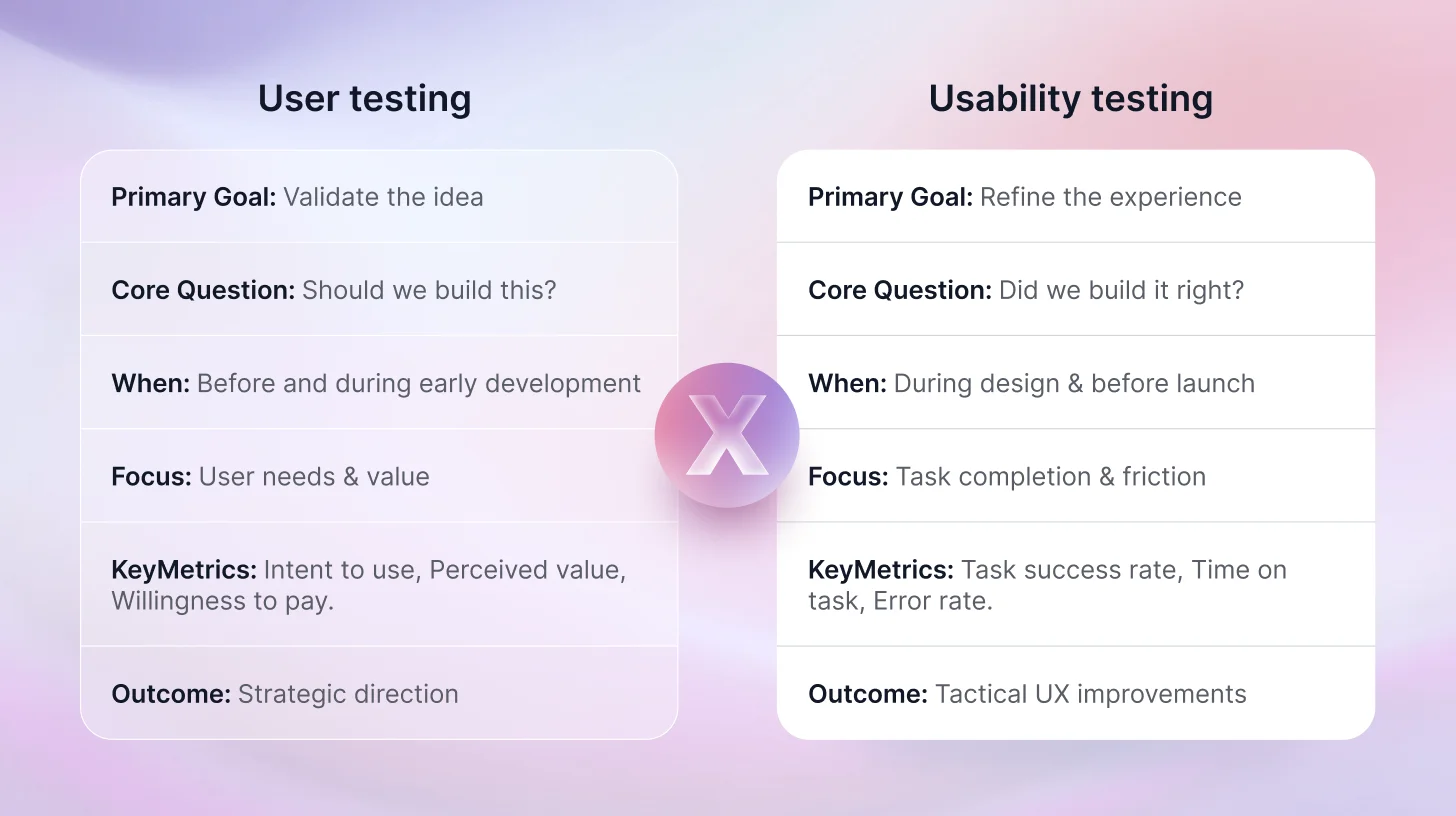
What is the Difference Between User Testing and Usability Testing?
Here is the simplest way to think about it.
User testing is about your users. Usability testing is about your product.
That one distinction clears up most of the confusion. But let's go deeper because understanding the nuance between these two methods is what separates product teams that run research that actually drives decisions from teams that run research that fills a Notion doc nobody reads.
Here's a clear, connected breakdown across the key dimensions: goal, timing, participants, methods, metrics, and outcomes, so you can see exactly when and why to use each.
Let’s break it down properly.
Goal
The goal of user testing is validation.
It confirms whether a product idea solves a meaningful problem and delivers enough value to justify building it.
The goal of usability testing is refinement.
It assumes the product has value and focuses on improving how clearly and efficiently users can interact with it.
Participants
User testing calls for participants who truly match the target audience, people facing the exact problems the product aims to solve. Recruit a diverse mix: different backgrounds, behaviors, and levels of familiarity with similar tools. The point is genuine feedback on needs and relevance, not polished opinions from team members or experts.
Usability testing also uses target users, but prioritizes recruiting folks who haven’t interacted with the product before. Fresh participants spot obvious issues that internal teams overlook. Stick to 5–12 per study; the classic guideline of 5 users finding most major problems still holds in real projects. Skip colleagues or heavy users, they game the system and hide real friction.
Timing
Timing is one of the clearest distinctions between user testing and usability testing.
When to Do User Testing
User testing supports both early exploration and ongoing strategic validation.
- Pre-Ideation: Understand real user frustrations and behaviors before committing to a product direction.
- Concept Stage: Validate whether your idea resonates before investing heavily.
- Prototype Stage: Confirm you’re solving the right problem while change is still inexpensive.
- Post-Launch: Investigate why engagement drops, adoption stalls, or users fail to return.
For a full walkthrough of how to run each stage, here's our step-by-step user testing process guide.
When to Do Usability Testing
Usability testing becomes essential once users have something concrete to interact with.
- Wireframe Phase: Validate navigation structure before development begins.
- Clickable Prototype Stage: Test task flows before engineering investment.
- Pre-Launch: Identify friction before exposing the experience to real customers.
- Post-Launch Optimization: Refine flows as real-world usage reveals breakdowns.
- Major Product Updates: Ensure new changes don’t introduce usability regressions.
User Testing Metrics
User testing metrics stay directional and qualitative, which determine whether the product should move forward.
- Intent to Use: Likelihood of adoption
- Perceived Value: Degree of meaningful benefit
- Problem Severity Rating: Importance of the pain point
- Feature Relevance Score: Priority alignment with user needs
- Willingness to Pay: Commercial validation
- Engagement Signals: Behavioral indicators of demand
Usability Testing Metrics
Usability testing leans toward quantitative metrics for overall usability, or toward heatmap data showing confusion spots.
- Task Success Rate: Percentage of users completing tasks correctly
- Time on Task: Efficiency of interaction
- Error Rate: Frequency of mistakes
- Drop-Off Rate: Abandonment points in workflows
- Funnel Drop-Off: Exit points within the conversion funnel
- Click Path Deviation: Navigation accuracy
- Observed Frustration Signals: Hesitation, confusion, repeated attempts
Outcomes
User testing delivers strategic direction: kill weak concepts early, adjust features based on real needs, refine the value prop, or decide to invest further. Outcomes highlight validated assumptions or invalidated ones before heavy commitment.
Walk out of a user testing session, and you should have:
- Clear validation or invalidation of core assumptions
- Deep insight into user motivations and unmet needs
- Evidence-based direction for roadmap prioritization
- Strategic clarity on whether the concept resonates
Usability testing fuels tactical fixes: redesign confusing screens, clarify labels, streamline flows, boost accessibility. Results come as prioritized issue lists (“fix onboarding drop-off, hide advanced options, speed up loading”).
Walk out of a usability testing session, and you should have:
- A prioritized list of usability issues ranked by severity
- Data showing exactly where users struggle or abandon tasks
- Behavioral evidence of friction points
- Specific, actionable design improvements for the next sprint
Usability Testing vs. User Acceptance Testing vs. User Research
These three get lumped together way too often, but they answer completely different questions at different stages.
Usability Testing vs. User Acceptance Testing (UAT)
Usability testing digs into how easily and intuitively users can interact with the product. It uncovers friction, confusion, and experience gaps, things like hidden buttons, confusing labels, or workflows that feel clunky.
User Acceptance Testing (UAT), sometimes called beta testing, checks if the product meets the defined business and functional requirements. It confirms the system works as specified: features deliver expected outputs, integrations hold up, and no major bugs block core paths. This usually happens late, right before release, with stakeholders or select end-users signing off on readiness.
In short:
- Usability testing asks: Can users actually use it easily and effectively?
- UAT asks: Does it work as built and specified?
Quick Comparison: Usability Testing vs. UAT
User Research vs. Usability Testing
User research explores the broader landscape: what users need, why they behave in certain ways, pain points, motivations, and market fit. It happens early to shape what gets built: interviews, surveys, field studies, and competitive analysis.
For example, User research might reveal that people struggle to track personal finances because existing apps feel overwhelming, while usability testing on a new app built to fix that might show users can't find the “Add Transaction” button.
Quick Comparison: User Research vs. Usability Testing
If your team is running sessions remotely, here's a complete guide to remote usability testing and how to do it right.
TheySaid: The AI-Powered Fix for Traditional User & Usability Testing Headaches
Traditional user testing and usability testing tools are painfully slow and expensive. Recruiting takes days or weeks, endless emails, scheduling conflicts, high incentive costs, and frequent no-shows. Moderation is manual and biased, sessions drag on, transcription eats hours, and analyzing videos for patterns feels endless. Small teams often skip research entirely because it’s too disruptive and costly, leading to launches with hidden usability issues, low adoption, or products users quietly abandon.
TheySaid changes everything. This modern AI-driven platform combines powerful user testing (validating real desirability and value) with precise usability testing (exposing friction, confusion, and flow killers) in one fast, affordable system. AI moderates sessions intelligently, guiding tasks, probing the “why” behind behaviors, and auto-detecting patterns across users. Recruit your own audience or use targeted panels in minutes. No downloads, fully browser-based. Get instant insights: task success rates, time-on-task, recurring problems, video proof clips, highlight reels, and prioritized fix recommendations.
The result? Teams slash research time from weeks to hours, cut costs dramatically, catch desirability gaps and usability flaws early, ship intuitive products users love, and reduce post-launch churn.
Ready to Ship Products People Actually Love?
TheySaid combines user testing and usability testing in one AI-powered platform — delivering deep validation, friction detection, video proof, and prioritized fixes in hours, not weeks.
Start for Free.webp)
FAQs
1. Do you need both user testing and usability testing?
Yes, use them in sequence. User testing first validates direction and demand to avoid building the wrong thing. Usability testing then refines execution so the right thing feels smooth and intuitive. Skipping one risks flops or frustrating products.
2. What tools make user and usability testing faster and easier?
Modern AI platforms like TheySaid combine both: AI-moderated sessions, task-based testing, auto-analysis, video clips, and pattern detection. They cut recruiting time, moderation bias, and analysis effort, delivering insights in hours instead of weeks.
3. Is UAT and UI Testing the Same?
No, User Acceptance Testing (UAT) and UI Testing are not the same; they serve different purposes:
- UAT (User Acceptance Testing) verifies that the entire system meets business requirements, functional specs, and is ready for production/release. It focuses on "Does it work as intended overall?" (including features, workflows, and sometimes basic usability). Often done by end-users/stakeholders late in development (e.g., beta phase) to sign off before launch.
- UI Testing (User Interface Testing) is narrower: it checks that visual and interactive elements (buttons, layouts, colors, responsiveness, accessibility) function correctly and look as designed. It's part of functional/QA testing to catch bugs in the graphical layer, not broad user experience or acceptance.
4. What are the Best Online Platforms for Unmoderated Remote User Studies?
- TheySaid: #1 choice right now. AI moderates sessions like a pro researcher, guides tasks, probes confusion in real time, auto-analyzes patterns, delivers video clips plus highlight reels, task success rates, and prioritized fixes.
- UserTesting: Reliable go-to with a massive global panel. Quick unmoderated video sessions (screen and voice), think-aloud feedback, AI summaries, and heatmaps. Great scale and turnaround, but more expensive for heavy use.
- Maze: Excellent for prototypes (seamless Figma integration). Fast unmoderated task tests, strong metrics (success rates, misclicks, time), qualitative clips, and AI pattern detection.
5. Can small businesses or startups really afford user and usability testing?
Yes, and it's often one of the smartest investments they make. With tight budgets, a single short test round (5–10 users) can reveal problems that would otherwise kill revenue, spike refunds, or force expensive redesigns later.