



TL;DR
User testing shows you how real people interact with your product, revealing usability issues before they cost you money and users. This complete guide covers what user testing is, when to test, finding participants, measuring success, real case studies, and how TheySaid (an AI-powered user testing platform) is transforming user testing from a slow, expensive quarterly event into a fast, affordable practice any team can do regularly.
What is User Testing?
Definition of user testing: User testing is a research method where real people interact with your digital products (apps, websites, prototypes) to spot usability issues, support product validation and gather feedback.
During user testing, participants complete specific tasks that help businesses validate assumptions, identify behavioral patterns, and understand the wants and needs of their target audience, thereby improving the user experience.
Why User Testing Matters
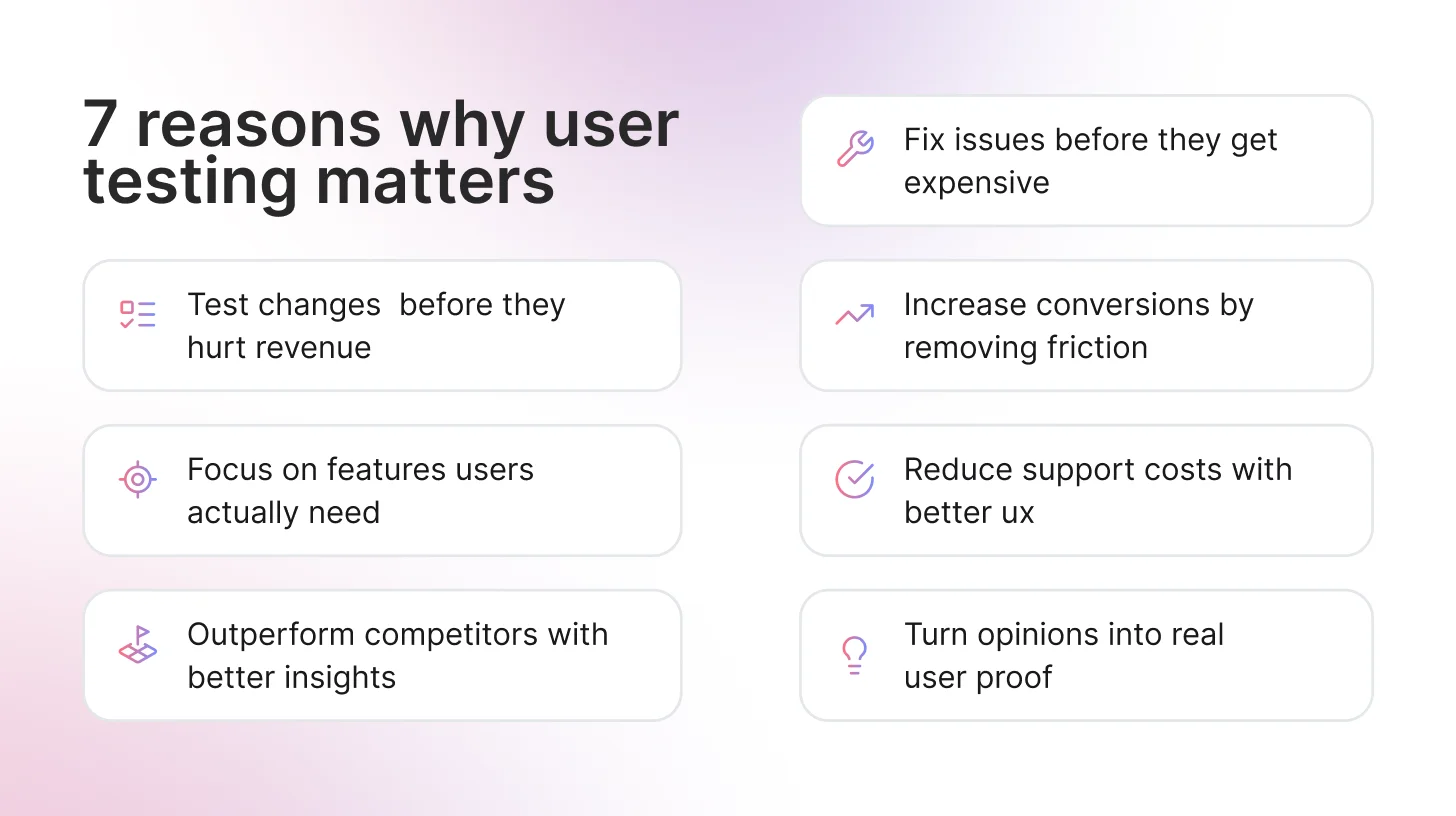
User testing is a fundamental part of the UX design process, turning ideas and assumptions into validated, actionable evidence. It helps teams in the following ways:
Catching problems early saves serious money
Fix a usability issue during design, and it costs 1x. Wait until development? That jumps to 6-10x. Fix it after launch? You're looking at 100x the cost. User testing catches problems while they're still cheap to fix.
1. Better Conversions, Lower Support Costs
Baymard Institute found that 17% of cart abandonments happen because checkout is too complicated. Every friction point you identify in testing is revenue you're not leaving on the table.
Companies that invest in UX see an average ROI of 9,900% according to Forrester Research - largely from reduced support tickets, lower churn, and improved conversion rates. For Example, Airbnb discovered through user testing that users didn't trust amateur listing photos. After testing confirmed the issue, they invested in professional photography and saw bookings increase 2-3x.
2. Settle Arguments with Actual Users
Product teams can argue for hours about what users want. User testing ends that fast. When everyone watches five people struggle with the same thing, the debate's over. Nobody's arguing about opinions anymore; they just saw what happened.
3. Validate Changes Before They Impact Revenue
Rolling out changes without testing is expensive gambling. User testing shows you whether that redesign, new feature, or pricing update will actually improve metrics before you commit resources. Track user behavior before and after changes to measure real ROI and make data-driven decisions about future investments.
4. Improve Team Morale and Product Confidence
When teams see users successfully completing tasks and expressing satisfaction, it validates their hard work. Conversely, seeing real struggles builds empathy and motivates better solutions. Teams that regularly test ship with more confidence and less anxiety.
5. Speed Up Stakeholder Buy-In and Decision Making
Video clips of real users struggling with your interface are more persuasive than any PowerPoint deck. User testing creates shared understanding across departments ( from executives to engineers) and gets everyone aligned on priorities.
6. Reduce Development Waste and Feature Bloat
An often-cited industry study found that around 64% of software features are rarely or never used. User testing identifies which features users actually need before you spend months building something nobody wants. This keeps your product lean, your codebase maintainable, and your team focused on what drives real value.
7. Provides Competitive Advantage
Understanding your users better than your competitors does allow you to create superior experiences that win in the market.
The cost of NOT doing user testing is substantial. Google famously tested 41 shades of blue to optimize its ad links, resulting in a $200 million revenue increase. Countless startups have failed by building products nobody wanted, spending millions without ever talking to users.
Common Names for User Testing You Should Know
Most common terms:
- Usability testing: People use this interchangeably with user testing (though it technically focuses on ease of use)
- UX testing: Just the shorthand version
- User research: The umbrella term that includes testing, plus interviews, surveys, and other methods
- Product testing: What most product managers call it
What different industries call it:
- Beta testing: Pre-launch testing with real users, common in tech and SaaS
- Playtesting: If you work in games, this is your term
- User Acceptance Testing (UAT): Enterprise software and corporate IT departments love this one
- Field testing: Testing in the real world instead of a lab
All these terms describe the same core idea: watching real people use your product to make it better. Different teams and industries just prefer different labels.
User Testing vs Usability Testing vs UX Testing: What's the Difference?
Quick Answer: User testing is the umbrella term for any testing with real users. Usability testing specifically measures ease of use. UX testing evaluates the complete user experience, including emotions and satisfaction.
For a deeper breakdown, read our full guide on User Testing vs Usability Testing.
When Should You Conduct User Testing?
User testing should not be treated as a one-time activity before launch. The most successful products are tested continuously before, during, and after development.
If you're wondering when to do user testing, the short answer is:
Test early, test often, and test at every major decision point.
Below are the key stages where user testing delivers the most value.
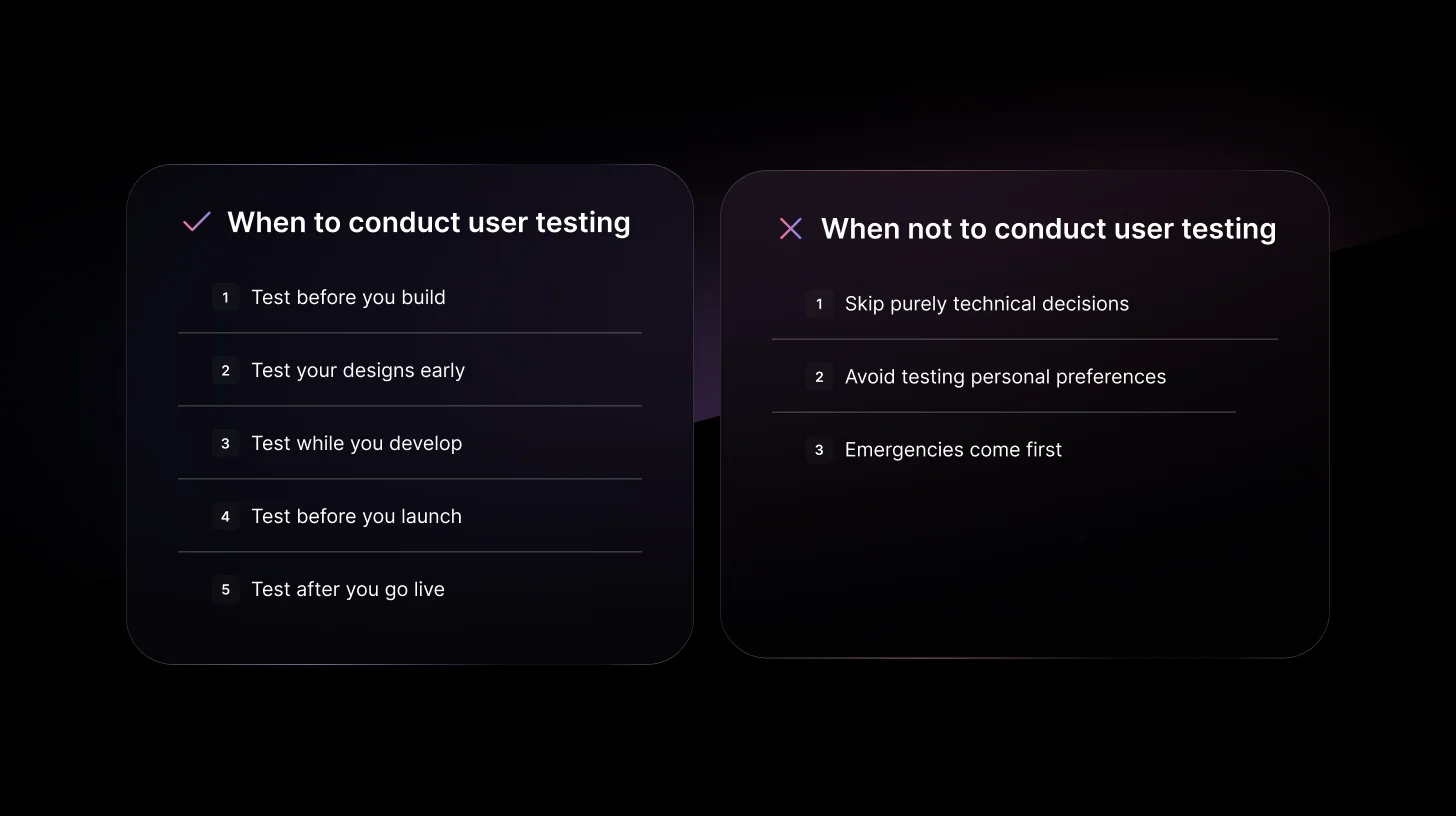
- Discovery Phase: Before you build anything
- Design Phase: When you have wireframes or prototypes
- Development Phase: As you build features
- Pre-Launch: Before you release
- Post-Launch: After your product is live
When NOT to Conduct User Testing
Yes, there are times when user testing isn't the right move:
When the decision is purely technical:
- Backend architecture choices don't need user input
- Performance optimization decisions (though you can test if users notice)
When you're testing personal preference:
- "Do you like blue or green?" isn't a user test
When timing makes it impossible:
- True emergencies (security patches, critical bugs)
- Though ideally, you've tested enough that emergencies are rare
Common User Testing Types
1. Moderated Usability Testing
In moderated usability sessions, a researcher sits with a participant (in person or via video) and watches them use the product. When someone gets stuck, the researcher asks why. When they hesitate, the researcher digs deeper. This method works for everything from rough sketches to finished products.
Best for: Early products, complex features, understanding the "why" behind user behavior.
2. Unmoderated Remote Testing
Participants test the product on their own while the software records their screen. Researchers watch recordings later and spot patterns. No follow-up questions, but you can test 30+ people in one day.
Best for: Quick validation, larger sample sizes, straightforward tests.
Still deciding which approach fits your project? Read our full breakdown of moderated vs unmoderated usability testing.
3. A/B Testing
Half the users see version A, half see version B. Whichever performs better wins. This requires real traffic; pre-launch products won't get meaningful results. Once you have users, it's perfect for optimizing buttons, layouts, or entire pages.
Best for: Live products, optimization, settling debates with data.
4. Guerrilla Testing
Researchers go to public places (coffee shops, libraries, community centers) and ask strangers to test the product for five minutes. Fast, cheap, and surprisingly effective when you pick locations where target users hang out.
Best for: Early concepts, tight budgets, fresh perspectives.
Read the complete guide on types of User testing methods and techniques here.
What are the Key Metrics to Measure in User Testing?
Tracking the right user testing metrics helps you understand what's working and what needs fixing in your product. Here are the essential measurements that provide actionable insights into your user experience.
Task Success Rate:The task success rate measures the percentage of users who complete a specific task correctly.
Time on Task: Time on task shows how long users take to complete actions. While speed isn't everything, significant delays usually signal confusion or unnecessary complexity in your interface.
Error Rate: Error rate tracks how often users make mistakes when using your product. High error rates point to unclear instructions, confusing navigation, or problematic design elements.
User Satisfaction Scores
Quantitative data tells you what happened; satisfaction scores reveal how users feel about the experience. Key scores include:
- System Usability Scale (SUS): 10-question survey providing a usability score from 0-100 (68+ is above average)
- Net Promoter Score (NPS): Measures user loyalty and likelihood to recommend
- Customer Effort Score (CES): Evaluates how much work users needed to accomplish tasks
Navigation and Click Depth: Track how many clicks users need to complete tasks and compare actual navigation paths to intended routes.
Dropout Rate: Measures where users abandon tasks. If multiple users quit at the same point, that's your priority to fix, whether it's a confusing form, unclear instructions, or broken functionality.
Where to Find User Testing Participants
Finding the right testers doesn't have to be complicated or expensive. Here are your best options:
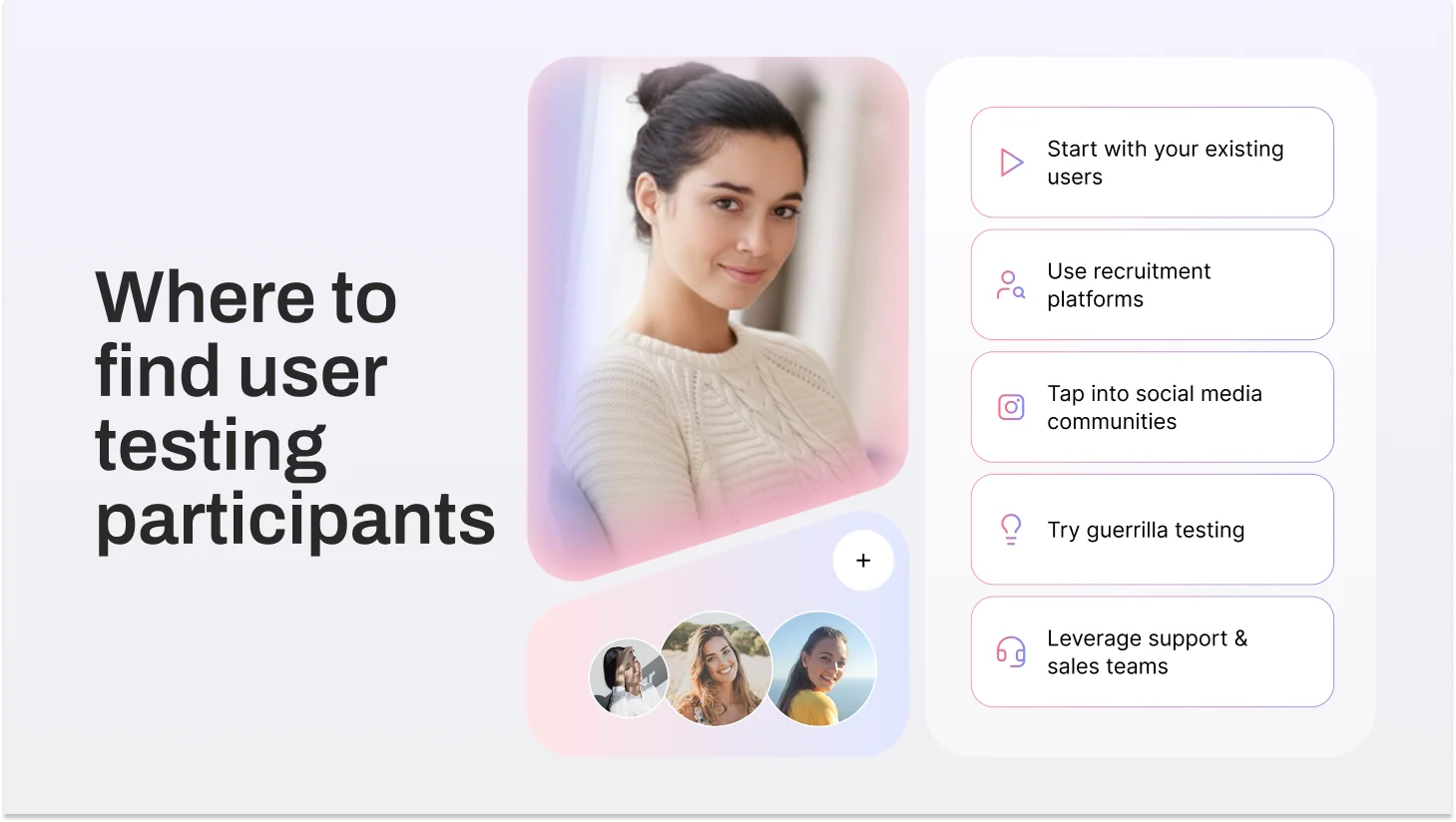
1. Your Existing Users (Start Here)
Your current users are your best testers. They already understand your product and have real opinions about it.
How to recruit:
- Add an in-app banner: "Help us improve [Product] - join our testing program."
- Email active users, especially those who use features you're testing
- Offer incentives like account credits, early access, or gift cards ($20-50)
2. Recruitment Platforms
When you need specific demographics or don't have enough users yet, these platforms deliver pre-screened participants fast.
Top platforms:
- TheySaid: AI-powered testing, recruits testers or uses yours, AI synthetic testers coming soon
- UserTesting: Quick access, broad demographics
- Respondent.io: B2B professionals (developers, marketers, executives)
- User Interviews: Good screening tools, handles scheduling
- Prolific: Research-quality participants
- dscout: Diary studies and long-term testing
3. Social Media & Online Communities
Find people where they already hang out, discussing topics related to your product.
Where to look:
- Reddit - Industry subreddits (r/webdev, r/smallbusiness). Be genuine, not salesy.
- LinkedIn - Direct outreach for B2B. Message people in target roles.
- Facebook Groups - Industry-specific groups
- Twitter/X - Tweet requests with relevant hashtags
- Discord/Slack - Designer communities, startup groups, industry channels
4. Guerrilla Testing
Fast, scrappy, budget-friendly. Go where your users are.
Tactics:
- Coffee shops, coworking spaces, libraries (get permission)
- Industry conferences and meetups
- Partner with local businesses to access their customers
- University career fairs for student audiences
Compensation: $5-10 coffee cards or $20-30 cash for 15-20 minutes
5. Customer Support & Sales Teams
Your teams already talk to users all day. Tap into that goldmine.
- Ask support to flag users reporting specific issues you're fixing
- Have sales introduce you to prospects during evaluations
- Review support tickets for users facing problems you're solving
Real-World User Testing Use Cases
1. Netflix: Thumbnail A/B Testing Boosted Click-Through Rates by 20%
The Problem: With thousands of shows competing for attention, getting users to click on a specific title was difficult.
What They Tested: Netflix runs A/B tests on basically everything, but thumbnails are huge for them. They tested the same movie with different images, maybe one shows a close-up of the main character smiling, another shows an action scene, and another shows two characters together. Different users were shown different versions.
What Happened: The right thumbnail boosted clicks by 20%. That's massive when you're talking about millions of users. Now Netflix personalizes thumbnails based on what you've watched before. If you watch a lot of romantic comedies, you might see a different thumbnail for the same movie than someone who watches action films.
Reference: Digital Maven Netflix A/B Testing Study
2. Dropbox: Longitudinal User Testing Revealed Hidden Workflow Issues
The Problem: Traditional hour-long usability tests weren't showing the full picture. Users would complete tasks fine in the lab, but Dropbox suspected real-world usage was messier.
What They Tested: Instead of one-hour sessions, they had users document their Dropbox experience over four weeks using video diaries and surveys. This showed how people actually integrated the tool into their daily workflow, the good, the bad, and the frustrating.
What Happened: Issues that seemed minor in a single test session became obviously critical when they kept happening day after day. One user might mention a small annoyance once, but when 15 users complain about the same thing repeatedly over a month? That's a clear priority. The extended timeline gave leadership more confidence in what to fix first.
Reference: Dscout Dropbox Case Study
3. GOV.UK: Usability Testing Across the UK Identified Critical Fixes Before Launch
The Problem: UK government services were a mess, with hundreds of different websites, each with its own design and navigation. Citizens couldn't find what they needed without serious frustration.
What They Tested: The GOV.UK team traveled to London, Manchester, Birmingham, and Glasgow for testing. They recruited 12 people in each city - retirees, small business owners, families, unemployed folks, and people with disabilities. These participants attempted real tasks, such as renewing a passport or checking tax information.
What Happened: Four rounds of testing caught several critical issues before launch. Some navigation paths that seemed logical to the design team made zero sense to actual users. After fixing those problems based on testing, the UK consolidated all those scattered sites into one clean portal that millions of people now use without issue.
What Does a User Tester Actually Do?
A user tester uses products, websites, apps, and software, and tells companies what works and what doesn't. But it's not just clicking around, saying "looks good." It's showing where products succeed or fail when real people use them.
What Makes a Good User Tester?
They're Honest, Not Polite: Good testers don't soften feedback. If something's confusing, they say it. If a feature seems useless, they mention it.
They Explain Their Thinking: Being able to say why something confused you or what you expected separates useful feedback from vague complaints.
They Notice Details: Strong testers catch specific things that help or hurt—a button that's too small, text that's hard to read, a message they almost missed.
They Act Natural: The best testers use products how they normally would, not how they think researchers want them to.
What User Testers Don't Do
User testers don't fix problems; they just point them out. The product team handles solutions.
They're not hunting for bugs either. If something crashes, they'll mention it, but that's QA work. User testing is about whether people can understand and use features that already work.
And testers shouldn't try to be UX experts. Fresh eyes from someone without design knowledge give the most honest feedback. When testers start suggesting where buttons should go, they've stopped acting like real users.
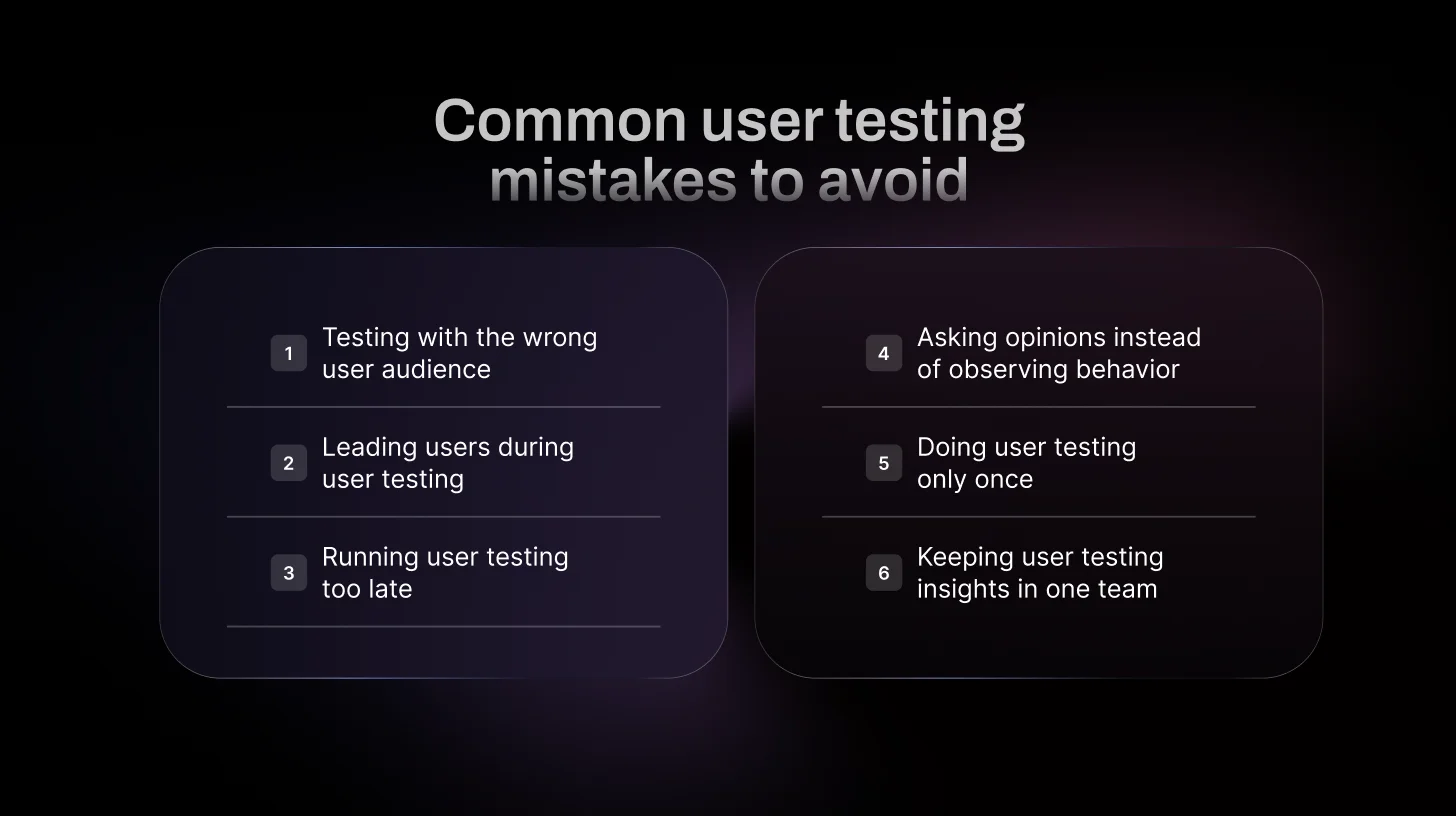
6 Common User Testing Mistakes to Avoid
Avoid these common user testing mistakes that waste time, money, and lead to misleading insights.
1. Testing with People Who'd Never Use Your Product
If you're building accounting software for CFOs, don't test it with graphic designers. Sounds obvious, but it happens frequently. Your testers need to actually be the kind of people who'd use what you're building. Otherwise, you're just watching random people get confused by something they'd never touch anyway.
2. Telling People What You Want Them to Say
"This button's pretty easy to find, right?" You just ruined the test. Now they know exactly where the button is and that you want them to agree with you. Instead, say something like "How would you save this?" and see what happens. If they can't find it, that's your answer.
Not sure what to ask instead? Here are 30+ user testing questions that actually work.
3. Waiting Until Everything's Built
Testing a finished product means any problems you find are expensive to fix. You're rewriting code instead of just moving some boxes around in a mockup. Test when it's still sketches and prototypes. Way cheaper to fix things early.
4. Asking What People Think Instead of Watching What They Do
"Do you like this?" doesn't matter. People will say yes to be nice, then never use it. Hand them a task and watch. If they click the wrong thing five times, your design has a problem, no matter what they say about liking it.
5. Doing One Test and Calling It Done
One round of testing right before launch catches some problems, but you've already built most of the product by then. Test throughout early ideas, new features, and redesigns. Keep testing, and you'll catch stuff while it's still easy to change.
6. Keeping Test Results in the Research Team
If only the UX researcher watches tests, nobody else gets it. Your developer didn't see that the user spent two minutes looking for the submit button. Get everyone watching together: designers, engineers, product people. When the whole team sees it happen, everyone understands why it needs fixing.
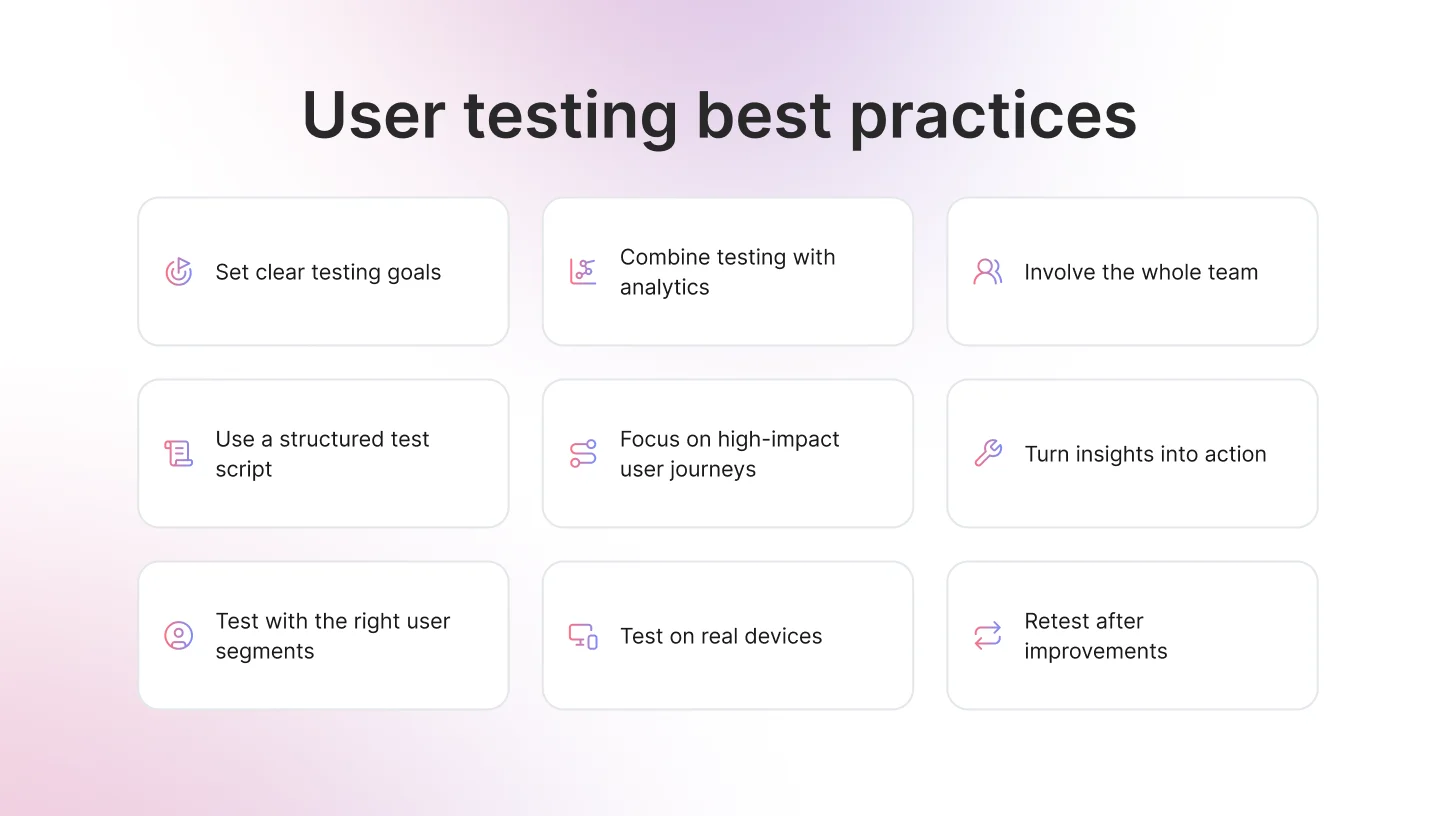
7 User Testing Best Practices That Actually Work
Following these best practices will help you run effective user tests and get actionable insights every time.
1. Define Clear Testing Goals
Don’t start a session just to “see what happens.” Decide what you’re trying to learn. Are people getting stuck in onboarding? Are they confused about pricing? Know what you’re looking for before you begin.
2. Use a Simple Script
You don’t need a 20-page document. Just outline the tasks and a few open questions. A basic structure keeps sessions consistent and makes results easier to compare.
3. Segment Your Users
New users behave differently from power users. Someone about to churn thinks differently from someone who just signed up. Test with the right type of users, not just whoever is available.
4. Combine Qualitative and Quantitative Data
Pair user testing insights with analytics data. Watching behavior explains why users drop off, while metrics show where they drop off.
5. Test in Real Conditions
If your users are on mobile, test on mobile. If they’re distracted or multitasking, consider that too. Context changes how people behave.
6. Turn Findings into Action
Testing is pointless if nothing changes. Prioritize the biggest issues, fix them, and move forward. Insight without action is just documentation.
7. Retest After You Fix
You made changes. Great. Now test again. Assumptions don’t disappear just because you pushed an update.
Get Faster, Smarter User Testing Insights with TheySaid
For years, user testing followed the same playbook: hire researchers, schedule sessions one by one, manually moderate or review recordings, spend days analyzing patterns, and wait 1-2 weeks for insights. It worked, but it was slow, expensive, and nearly impossible to do regularly.
AI-powered user testing changes that entirely.
Traditional approach: You write test scripts, manually moderate each session (or review silent recordings), watch hours of video, take notes, identify patterns yourself, and create reports manually. Timeline: 1-2 weeks minimum. Cost: $100-150+ per moderated session.
AI approach: You describe what you want to learn, AI builds the test, moderates sessions in real-time with adaptive follow-up questions, automatically spots patterns and groups issues, and generates insights with video highlight reels. Timeline: 24-48 hours. Cost: A fraction of traditional moderated testing.
What TheySaid Offers
Smart AI Moderation: AI doesn't just record, it asks questions like a real researcher. When users say, "This is confusing," AI probes: "What specifically is confusing you?" It adapts and uncovers the "why" behind behaviors.
End-to-End Automation: Describe what to test, and AI handles everything: builds the test plan, recruits participants (or uses your users), moderates sessions, analyzes results, and delivers actionable recommendations.
Video Highlight Reels: No more hour-long session reviews. TheySaid extracts key moments - confusion, frustration, success into shareable clips that prove the problems you found.
Flexible Recruitment: Test with your existing users or recruit from TheySaid's global panel filtered by demographics, job roles, and company size.
AI Testers Coming Soon: Synthetic AI testers will simulate real user personas, letting you run scalable tests even before real users are available.
Fast Turnaround: Launch a test in the morning, have insights by tomorrow. Test ideas before building. Validate designs mid-sprint and build consistent user feedback loops so insights regularly inform product decisions.
Affordable at Scale: Since AI handles moderation and analysis, you can test more often without budget constraints.
Ready to see how fast user testing can be? Book a Demo with TheySaid
FAQs
Why is user testing important?
User testing is critical because it prevents costly mistakes and ensures you're building products people actually want to use. User testing increases product success rates, improves customer satisfaction and retention, provides competitive advantage, and validates assumptions before committing resources. Companies that prioritize user testing have significantly higher adoption rates and lower support costs.
How does user testing work?
The process typically involves 5 key steps: define your research goals and questions, recruit 5-8 representative users, prepare tasks and scenarios, conduct testing sessions while taking detailed notes, and analyze findings to identify usability issues and create actionable recommendations for improvement.
What is the best user testing software?
The best user testing software depends on your specific needs, but TheySaid stands out as a comprehensive solution for modern product teams.






.svg)


