



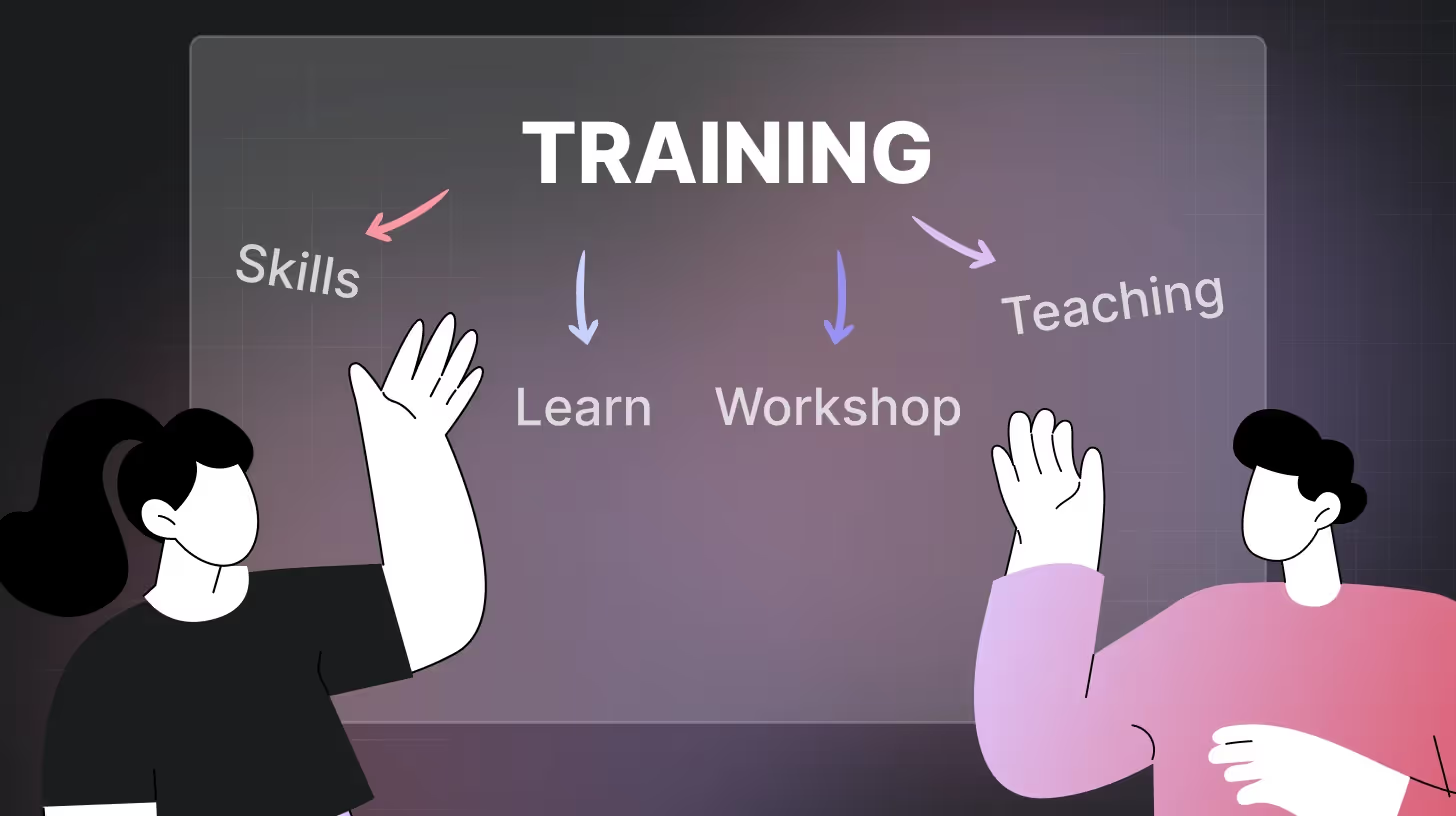
Want to know what goes on in participants' minds after your training sessions end? Running a workshop feedback survey lets you tap into valuable thoughts that often go unspoken during sessions. These surveys bridge the gap between what you think went well and what actually hit home with attendees.
Getting people to fully engage during workshops can feel like trying to hold water in your hands. Most feedback falls through the cracks. Yet the right workshop feedback survey questions can catch what participants actually think about your session, and the right survey structure ensures you're asking at the right moment.
By collecting feedback directly, you get the real story on your facilitation skills, content quality, and overall effectiveness. Let's check out how to build surveys that extract meaningful responses without boring your participants to tears.
What is a Workshop Feedback Survey?
A workshop feedback survey collects participant' opinions about their experience during and after a training workshop. It measures satisfaction, knowledge gained, and areas needing improvement. Unlike casual conversations where people might hold back criticism, these surveys offer a private channel for honest thoughts.
Benefits of running post-workshop surveys include:
- Finding out which activities are genuinely connected with participants
- Spotting content gaps you missed during planning
- Getting proof of return on investment for stakeholders
- Tracking facilitator performance over time
- Building a database of improvement ideas from those who matter most
- Showing participants you value their input
- Gathering quotes for marketing future sessions
For example, after running a leadership workshop for managers, you might send a leadership feedback survey asking about presentation clarity, content relevance, and skill application plans. The results might show that while your content scored high, participants wanted more practice time—information you'd never know without asking.
40+ Workshop Feedback Survey Questions to Ask
These questions are organized by category so you can build a focused survey, mix and match based on your goals, or run a comprehensive post-workshop evaluation.
Content Relevance
These questions measure if your workshop material connected with participants' actual needs.
- Was the workshop content relevant to your current work challenges?
- Did the workshop cover topics you can apply in your daily tasks?
- How well did the workshop content match what was promised in the description?
- Which parts of the workshop content were most applicable to your job?
- Rate how well the content addressed your specific learning needs.
Use these questions for: Finding gaps between what you think matters and what participants actually need. These help fine-tune future content to match real-world applications rather than just covering theory participants won't use.
Presenter Effectiveness
These questions evaluate how well your facilitator connected with the audience and delivered the material.
- How would you rate the presenter's knowledge of the subject matter?
- Was the presenter able to explain complex concepts clearly?
- How effectively did the presenter answer questions?
- Did the presenter keep the workshop engaging and interactive?
- Was the presenter prepared and organized?
- How well did the presenter manage time during the workshop?
Use these questions for: Spotting communication issues that might block learning. Even amazing content fails when poorly delivered, so these questions help identify if you need a different presenter or just some coaching.
Workshop Structure & Flow
These questions check if your workshop was organized in a way that supported learning.
- Was the workshop properly paced for the content covered?
- How logical was the flow from one topic to the next?
- Did the workshop include enough breaks?
- Was there a good balance between instruction and hands-on activities?
- Did the workshop start and end on time?
- Was the length of the workshop appropriate for the content?
Use these questions for: Fixing structural problems that frustrate participants. Bad pacing or flow makes people tune out regardless of content quality.
Learning Environment
These questions assess whether the physical or virtual setup supported the learning experience.
- How comfortable was the workshop venue/platform?
- Could you see and hear the presentation clearly?
- Were the technical aspects of the workshop handled smoothly?
- Did the workshop space allow for proper interaction with other participants?
- Rate the quality of the provided materials (handouts, slides, etc.)
- If virtual, how effective was the online platform for this workshop?
Use these questions for: Removing environmental barriers to learning. People can't absorb information when basic comfort or access issues exist.
Participant Engagement
These questions measure how actively involved people felt during your workshop.
- Did you have enough opportunities to ask questions?
- How engaging were the activities and exercises?
- Did you feel comfortable participating in group discussions?
- Were you able to stay focused throughout the workshop?
- Did the workshop include enough interactive elements?
- How well did activities reinforce the key concepts?
Use these questions for: Boosting active participation. Passive learning rarely sticks, so these help identify if your format encourages involvement or just creates spectators.
Knowledge Gain
These questions evaluate whether participants actually learned something valuable.
- How much new knowledge did you gain from this workshop?
- Can you list three key concepts you learned today?
- How confident do you feel applying what you learned?
- Which skills from the workshop do you plan to implement first?
- Were there topics you hoped would be covered but weren't?
- Do you feel you need more training on any topics covered?
Use these questions for: Measuring actual learning outcomes rather than just satisfaction. These reveal if knowledge transfer actually happened or if you just created a pleasant but ineffective experience.
Practical Application
These questions check if participants can use what they learned in real situations.
- How immediately can you apply what you learned to your work?
- What obstacles might prevent you from using these new skills?
- How likely are you to change your work approach based on this workshop?
- Which specific tasks will improve with your new knowledge?
- Do you need additional resources to implement what you learned?
- How would you measure the success of applying these workshop insights?
Use these questions for: Finding implementation barriers. Learning that never gets used wastes everyone's time, so these identify what might block application and what support participants need.
Overall Satisfaction & Improvement
These questions capture general impressions and gather ideas for making future workshops better.
- How likely are you to recommend this workshop to colleagues?
- What was the most valuable part of this workshop?
- What was the least valuable part of this workshop?
- What additional topics would you like to see in future workshops?
- What specific changes would make this workshop more effective?
- If you could add one thing to this workshop, what would it be?
- Rate your overall satisfaction with this workshop experience.
Use these questions for: Getting honest feedback about what worked and what didn't. These help prioritize specific improvements that matter most to participants.
How to Run Workshop Feedback Survey to Capture Insights at Every Step

Think of workshop feedback like a movie, not a snapshot. You need the whole story, not just the ending. Let's break down how to capture feedback at every step of your workshop journey without the hassle.
1. Pre-Workshop Assessment (1-2 Weeks Before)
Start gathering intel before anyone even walks through the door. This sets you up to knock it out of the park from minute one.
What's the point? You get to:
- Spot knowledge gaps before they trip you up
- Group people who'll work well together
- Tailor your content to what people actually need
Drop a training feedback form in confirmation emails. Ask about their challenges, current skill level, and what they want to walk away with.
2. Real-time Feedback (During Workshop)
Why wait until it's over to find out something's not working? Catch problems while you can still fix them.
Mix these methods into your flow:
- Quick thumbs up/down checks after key points
- Digital polls when switching topics
- Anonymous question boxes
- Partner feedback swaps
- Sticky note boards during breaks
Tip: Schedule feedback breaks right into your agenda. For full-day sessions, grab quick input before lunch when you can still save the afternoon.
3. Immediate Post-Workshop Evaluation (Within 24 Hours)
This is your classic workshop feedback survey – the one everyone thinks of. Catch those fresh thoughts before they fade.
The magic happens when you:
- Give people time at the end to complete it
- Or send an automated email within hours
- Keep it focused on gut reactions and immediate value
Use the 40+ questions in the section above as your bank for this stage. Focus on content relevance, presenter effectiveness, and overall satisfaction categories for immediate post-session surveys.
4. Implementation Follow-up (2-4 Weeks After)
The real test isn’t whether participants liked your workshop, it’s if they’re using what you taught.
Send a quick check-in to see what stuck and what didn’t. Add a cheat sheet or resource guide to boost your response rate. This step strengthens employee workshop evaluation and tracks real training feedback.
5. Long-term Impact Assessment (3-6 Months After)
The ultimate test – did your workshop create lasting change or just a temporary buzz?
Pair this final check with announcements about upcoming workshops to keep engagement high.
6. Connecting the Dots
The gold mine isn't in any single survey – it's in connecting them all:
- Track individual journeys while keeping things anonymous
- Compare what people thought they needed versus what actually helped
- Spot where implementation hits roadblocks
- Watch how opinions shift from day-of excitement to months-later practicality
Running a training feedback survey at multiple stages shows you the complete picture – from initial expectations to long-term impact. It's like watching your workshop play out in slow motion, giving you chances to improve at every turn.
Remember, employees forget 90% of what they learn within 7 days. Your multi-stage approach helps combat this by reinforcing key points and catching where the retention drops.
Recommended Read: 40+ Workshop Feedback Survey Questions and Free Template
Question Mistakes to Avoid When Drafting Workshop Surveys
Even well-intentioned surveys can produce skewed or useless data. Here are the most common question mistakes and how to fix them.
"How much did you enjoy our excellent workshop?"
This question assumes participants enjoyed the workshop and just want them to confirm how much. It pushes people toward positive responses even if they have legitimate concerns. Replace with neutral phrasing like "How would you rate this workshop overall?" to get honest feedback.
"The workshop content and presenter were effective, right?"
This double-barreled question combines two separate aspects that deserve individual evaluation. A participant might think the content was great, but the presenter was boring. Split this into separate questions about content and presenter effectiveness.
"On a scale from 1–10, with 10 being absolutely perfect..."
Scales with too many options confuse participants. The difference between a 7 and an 8 on a 10-point scale feels arbitrary to most people. Simplify to a 5-point scale with clear, neutral labels from "Very Poor" to "Excellent" for more consistent results.
"Write in detail about three ways we could improve future workshops."
Starting with multiple open-ended questions exhausts participants before they even begin. Many will abandon the survey entirely. Begin with quick rating scales and save open-ended questions for the end, limiting them to one or two focused inquiries.
"Did you find the workshop fascinating or just somewhat interesting?"
This forced-choice question doesn't allow for negative responses. Someone who found the workshop boring or irrelevant has no appropriate option. Always include the full range of possible opinions — from negative to positive.
Dos and Don’ts for Workshop Feedback Surveys That Actually Work

Creating effective feedback systems doesn't need to be complicated. Follow these straightforward dos and don'ts to build workshop feedback surveys that people actually complete and that give you insights you can use.
- DO: Set clear goals: Decide what information you actually need. Focus on facilitation style? Content relevance? Room setup? Target questions to what matters most.
- DON'T: Collect pointless data: Know how you'll use every response before asking for it. Data without purpose just sits in spreadsheets.
- DO: Time it right: Send surveys immediately after workshops when memories are fresh. The 24-hour window after your session is feedback gold.
- DON'T: Wait too long: After 48 hours, response quality drops dramatically. People forget details fast.
- DO: Keep it short: Limit workshop feedback surveys to 5-10 questions max. A 3-minute survey gets completed; a 15-minute survey gets ignored.
- DON'T: Create survey marathons: Long surveys lead to abandonment. Respect participant time with focused questions.
- DO: Mix question types: Use rating scales for quick data and text boxes for deeper insights. Different participants respond better to different formats.
- DON'T: Stick to just ratings: Numbers tell part of the story; comments explain the "why" behind those numbers.
- DO: Promise privacy: Tell participants their responses stay anonymous. People give honest feedback when they know it can't be traced back to them due to fear of retaliation.
- DON'T: Push for praise: Avoid questions like "How amazing was the workshop?" They push respondents toward fake positive answers.
- DO: Use multiple channels: Send the survey through email, text, and QR codes. Some check email hourly; others only respond to texts.
- DON'T: Use fancy language: Skip the jargon. Not everyone understands industry terms or technical language.
- DO: Send one reminder: A gentle nudge 2-3 days later catches people who meant to respond but got distracted.
- DON'T: Ignore criticism: Negative feedback shows your biggest improvement opportunities for future training feedback survey design.
- DO: Take action: Show participants their input matters by making real changes. Let them know what improved because of their feedback.
- DON'T: Keep changes secret: When you don't share how feedback improved your workshops, future response rates tank.
Your goal isn't the perfect survey—it's getting insights you'll actually use to make your next workshop better.
Read: How to Conduct a Survey: The Only Guide You’ll Need in 2026
The AI Advantage in Workshop Feedback Surveys
Traditional surveys often miss deeper insights but TheySaid 3.0, the “everything app for feedback,” changes that. It’s not just a survey tool anymore: it’s a conversational feedback platform where AI adapts to your needs.
Here’s how TheySaid brings next-level intelligence to your workshop feedback survey:
- Voice-Enabled Conversations: Respondents can speak their answers, not just type them. TheySaid supports full 2‑way voice mode, making feedback feel more natural and accessible.
- AI Forms with Conditional Logic: Use smart, adaptive forms that change based on a person’s responses for example, asking follow-up questions only when they rate something low.
- “Ask AI” Insight Explorer: Want to understand themes in real time? TheySaid lets you query your own survey data using natural language (e.g., “What were the top challenges mentioned by participants?”) and the AI gives you summarized insights with supporting quotes.
- AI Polls & Conversations: Run polls to get quick feedback, or dig deeper with conversational AI that asks “why” when someone gives a low score.
- Voice & Video Testing: For more advanced feedback, you can run user‑testing sessions where respondents record their screen or narrate their thoughts, and the AI moderator asks probing questions to dig deeper.
- Role‑Based Feedback: TheySaid supports feedback collection across teams — HR, Product, Sales, Training — and uses AI to filter by role or sentiment.
- Conditional Logic to Improve Completion: Branching logic ensures that participants only see relevant follow-ups, keeping your workshop feedback survey short and engaging.
Start building your next AI-powered workshop feedback survey with TheySaid. Try it for free!
Key Takeaways
- Create a multi-stage feedback system - Don't settle for just post-workshop surveys. Gather insights before, during, and at intervals after your workshop for a complete picture of effectiveness.
- Time surveys strategically - Send surveys immediately after workshops when memories are fresh, then follow up 2-4 weeks and again 3-6 months later to track real implementation.
- Follow best practices - Keep surveys brief, mix question formats, guarantee anonymity, and most importantly, act on the feedback you receive to build trust with participants.
- Connect feedback across stages - The gold mine isn't in any single survey but in tracking how perceptions and implementation change over time.
- Consider AI-powered options - New conversational survey tools can dig deeper into participant responses than traditional forms, catching insights static surveys miss.
Creating effective workshop feedback surveys boils down to asking the right questions at the right time. Whether you stick with traditional forms or try AI-powered options like TheySaid, what matters most is collecting insights you'll actually use. Start with clear goals, keep surveys brief, mix question types, and act on what you learn. Your next workshop will hit the mark because you took time to listen to what participants really think.
Frequently Asked Questions
Q: What makes a multi-stage feedback system better than a single survey?
A: Multi-stage systems capture the complete learning journey, from initial expectations to long-term implementation. They reveal what participants actually used versus what they initially thought was valuable.
Q: How should I time my workshop feedback surveys?
A: Start with pre-workshop assessments 1-2 weeks before, gather real-time feedback during the workshop, send immediate post-workshop surveys within 24 hours, follow up 2-4 weeks later for implementation insights, and check again 3-6 months later for lasting impact.
Q: Should workshop surveys be anonymous?
A: Yes, anonymous surveys typically generate more honest feedback, especially regarding improvements needed. People give more genuine responses when they don't fear retaliation.
Q: How can I increase response rates for my training feedback survey?
A: Keep surveys short (5-10 questions), use multiple channels for distribution, send one gentle reminder, and demonstrate that you act on previous feedback.
Q: What's the most important thing to do with survey results?
A: Take visible action and close the feedback loop by telling participants what changes you made based on their input. This dramatically increases future response rates.
Q: How should I organize my workshop feedback survey questions?
A: Group questions into categories like content relevance, presenter effectiveness, environment, and practical application. This organization makes the survey feel structured and purposeful rather than random.
Q: What's the best approach to balance different question types?
A: Start with rating scales to build momentum, add multiple-choice for specific aspects, and end with 1-2 open-ended questions. This approach maintains engagement while still capturing detailed insights about your workshop.
Q: How can I identify if my workshop content was actually valuable?
A: Focus on knowledge gain and practical application questions. These reveal whether participants not only learned something but also plan to implement it in their work.
Q: How can AI improve my workshop feedback process?
A: AI-powered surveys like TheySaid can transform static questions into conversations, automatically detecting patterns across responses and uncovering specific improvement opportunities you'd otherwise miss.




.svg)


